

Salesforce Summer 22' Release
I lördags släppte Salesforce sin Summer 22’ release. Våra Salesforce affärskonsulter har sammanfattat och listat sina favoriter från releasen. Bland annat så hittar ni nya funktioner och uppdateringar i rapporter, picklist, marketing cloud och Einstein!
1. Picklist (Beta) – spara och effektivisera tid
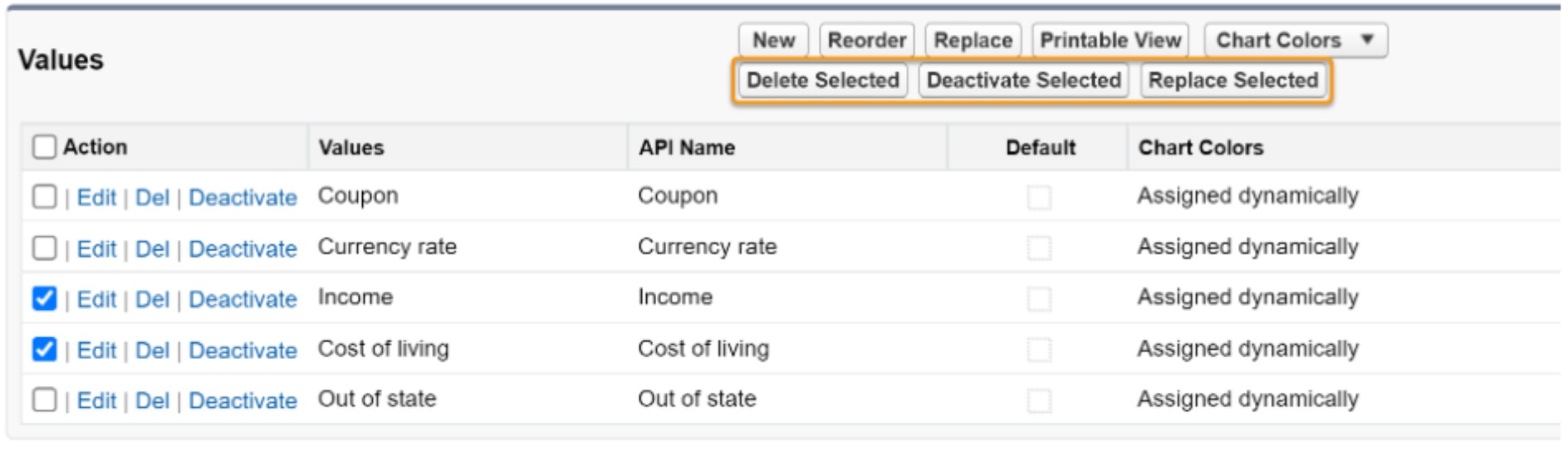
I den nya Summer ‘22 realesen har du möjligheten att ta bort, aktivera, inaktivera eller ersätta flera anpassade picklistvärden på en gång, istället för ett åt gången. Det här kommer spara dig massor med tid.
För att möjliggöra det här behöver du endast navigera till ‘Picklist Settings’ och sedan välja ‘Advanced Picklist Values Management (beta)’.
2. Rapporter – nya filtreringar och vyer
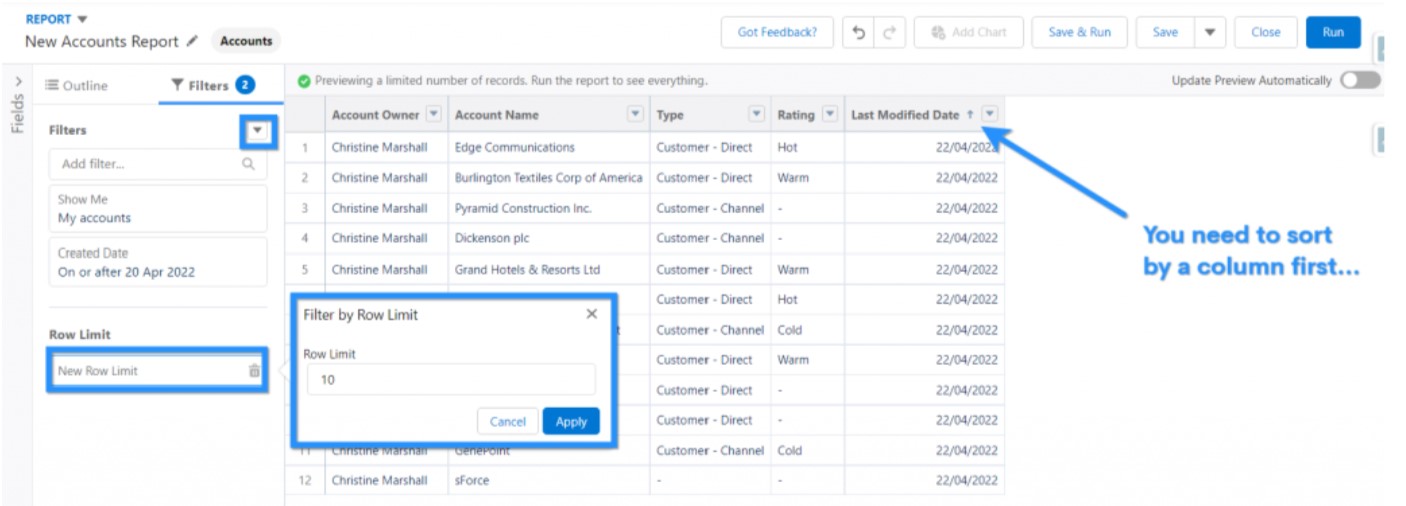
Nu finns det många nya funktioner för både rapporter och dashboards! I summer 22’ release kan man enkelt limitera antalet rader som visas i en rapport.
Det är nu möjligt att visa sina topp 10 bästa kunder eller de 15 senast ändrade säljprojekten.
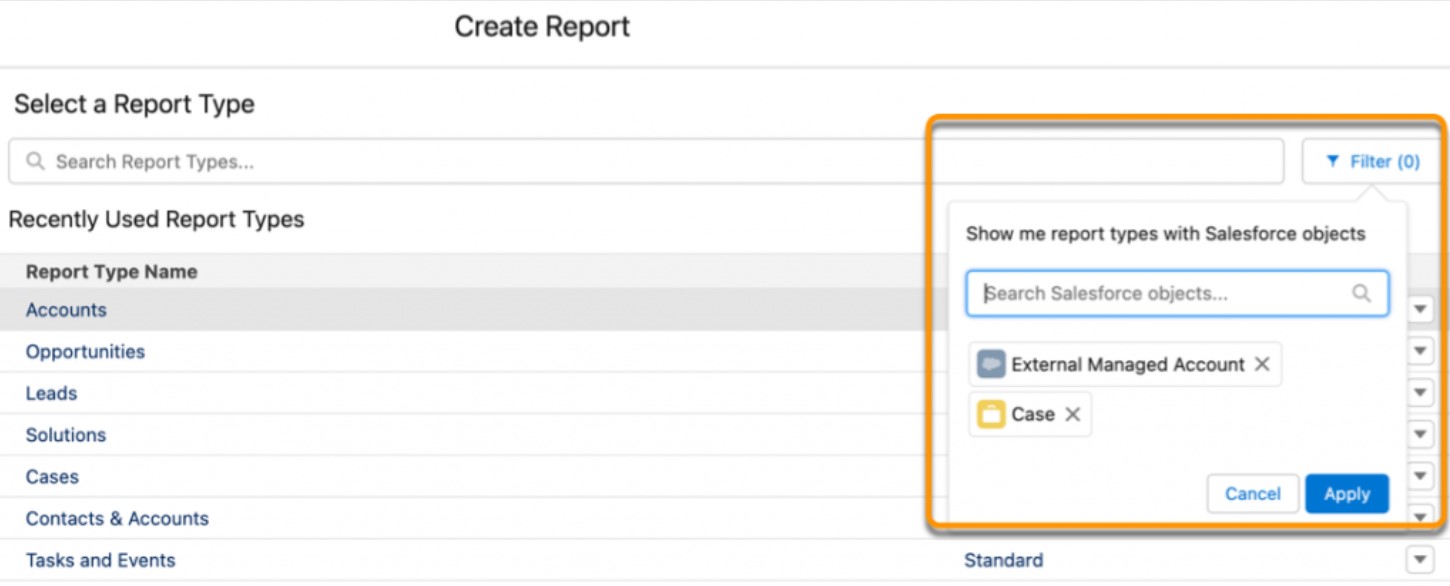
Dessutom är det lättare hitta rätt rapporttyp genom att filtrera listan utifrån ett eller flera objekt.
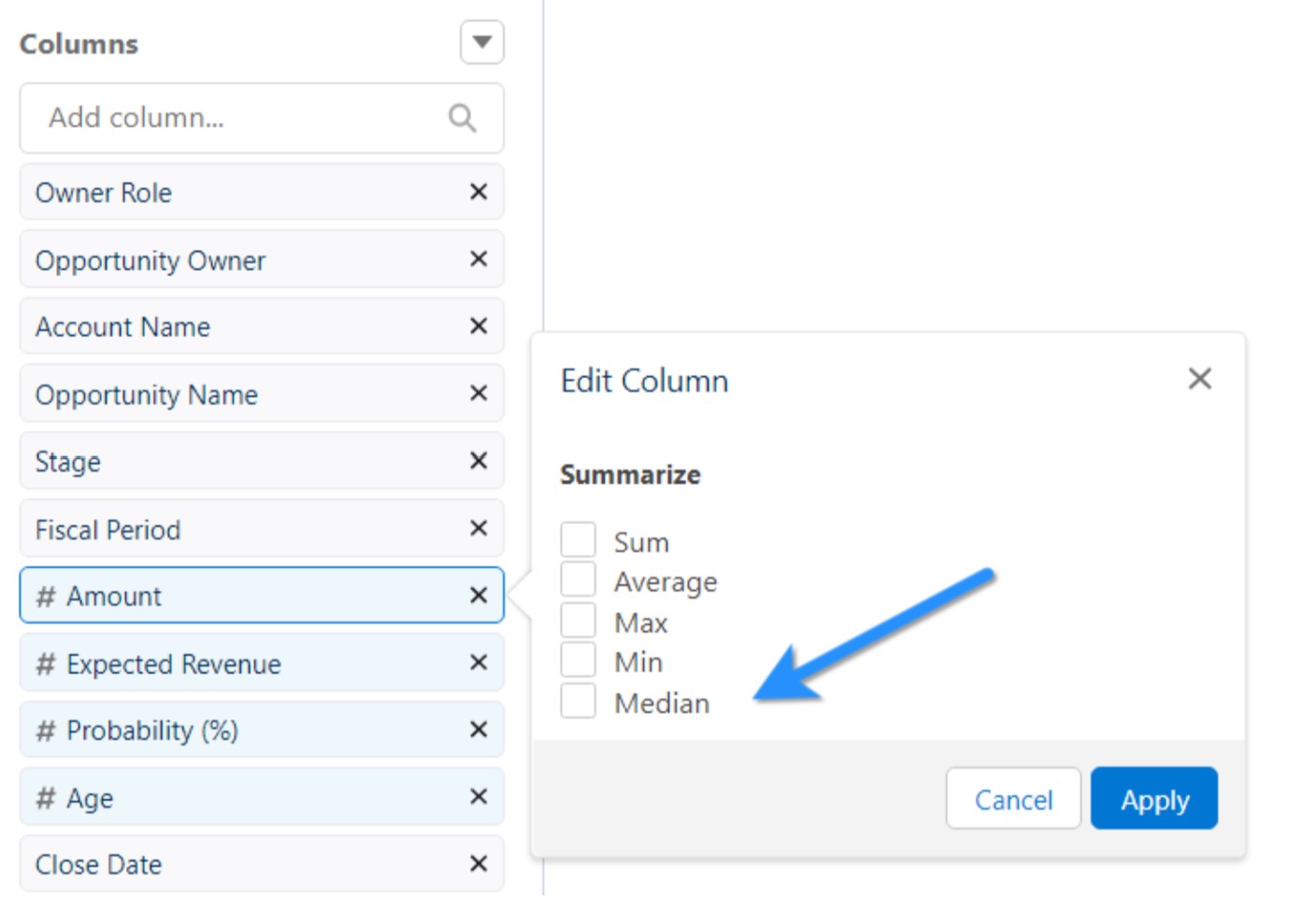
I nya uppdateringen går det nu att summera exempelvis längden på ärenden eller summan av säljprojekt utifrån medianen av samtliga värden.
3. Dynamiska Relaterad Listor – Skräddarsy relaterade listor för en mer dynamisk vy
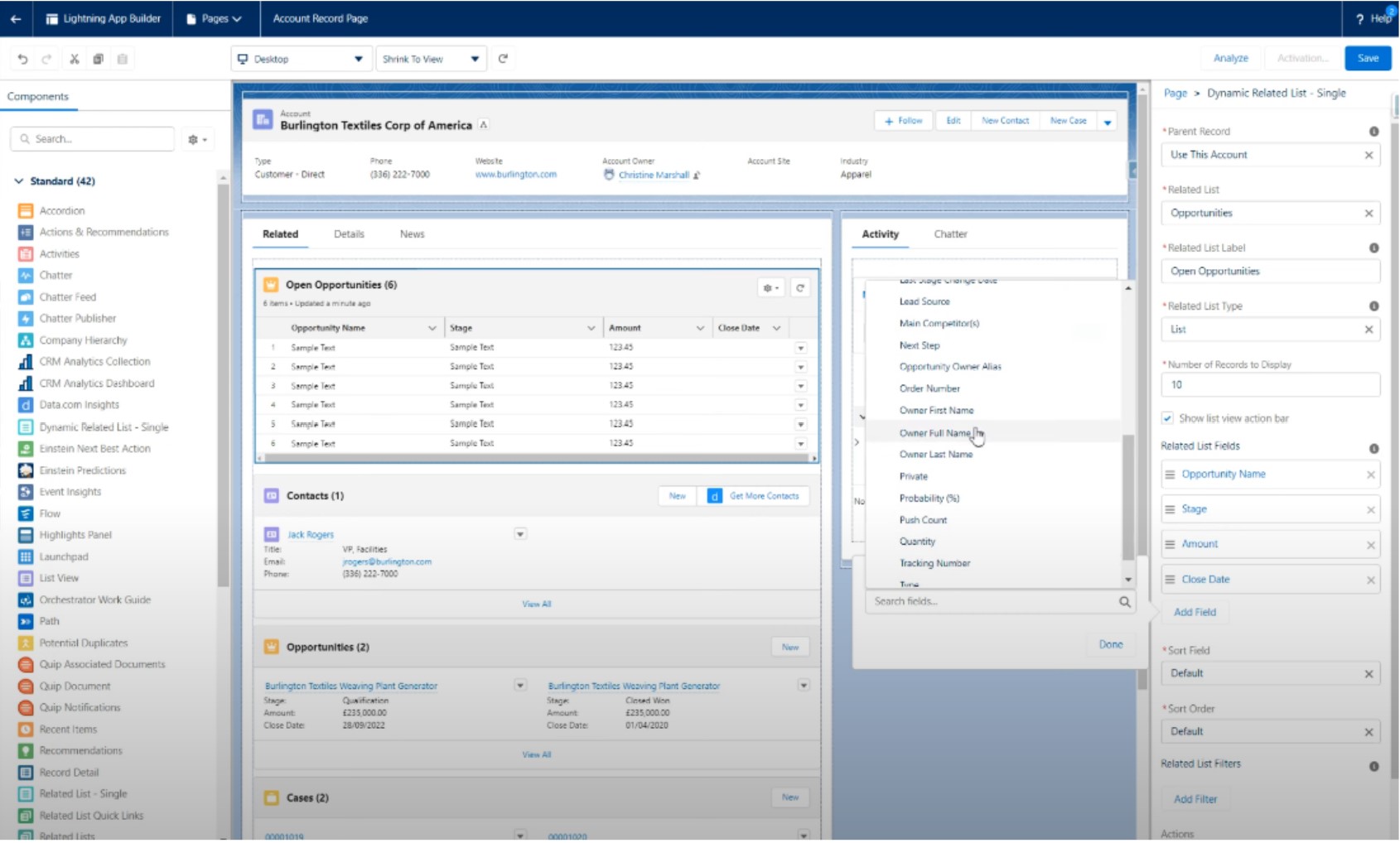
Dynamiska relaterade listor lägger till en ny komponent till Lightning-sidor – ‘Dynamic Related List – Singel’. Dynamiska relaterade listor ger bland annat möjligheten att skapa anpassade relaterade listor som kan filtreras så att de endast visas när vissa kriterier är uppfyllda. Detta ger fler sorteringsmöjligheter och möjligheten att sortera på fält.
4. Delningsbara Kampanjer – Delar individuella kampanjer mellan kollegor
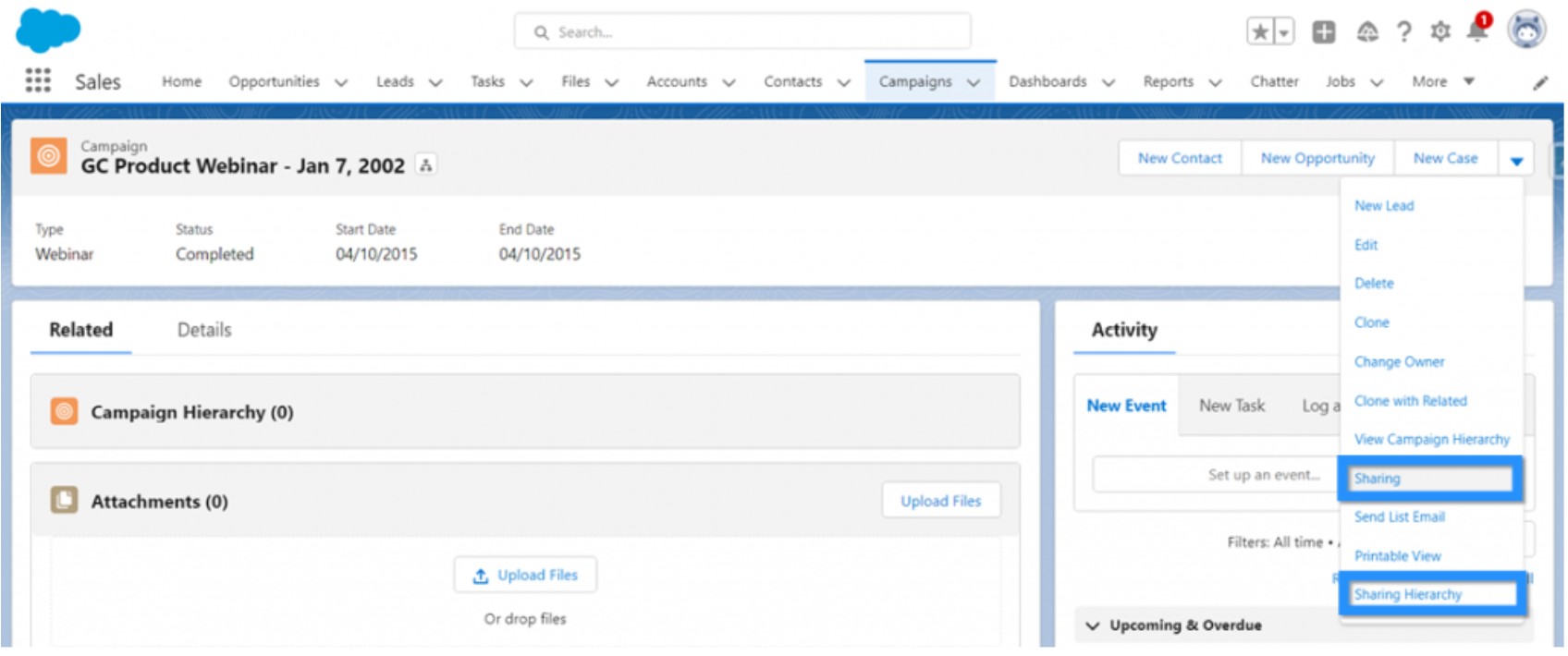
Dynamiska Kampanjägare kan nu manuellt dela individuella kampanjer med andra Salesforce-användare. Denna funktion var tidigare bara tillgänglig i ‘Classic vyn’ men är nu även tillgänglig i ‘Lightning Experience’.
5. Marketing Cloud – Optimera meddelanden med Einstein
Einstein är Salesforce AI-verktyg och i Marketing Cloud har det lanserats nya funktioner. Einstein kan nu fastställa det optimala antalet meddelanden som ska skickas för att minska risken för “reklamutmattning” och opt out’s. Det kommer även gå att anpassa kommunikationen utifrån lokala väderförhållanden vilket kan ge ökad relevans för innehåll som är väderberoende – eller varför inte inkludera en väderprognos i meddelandet när det är relevant? Einstein kan nu även hjälpa till med att optimera och förbättra ämnesrader för ökad öppningsfrekvens.
6. Marketing Cloud – Utökade funktionaliteter i Journey builder
Journey Builder är en av grundstenarna i Marketing Cloud och nu kommer det utökade funktionaliteter för alla användare som har en app. Genom att koppla ihop appen med Marketing Cloud kan man trigga en händelse och skapa resor i real tid baserat på användarbeteende i appen.
7. Einstein Activity Capture (EAC) – Bättre insikt och stängda affärer
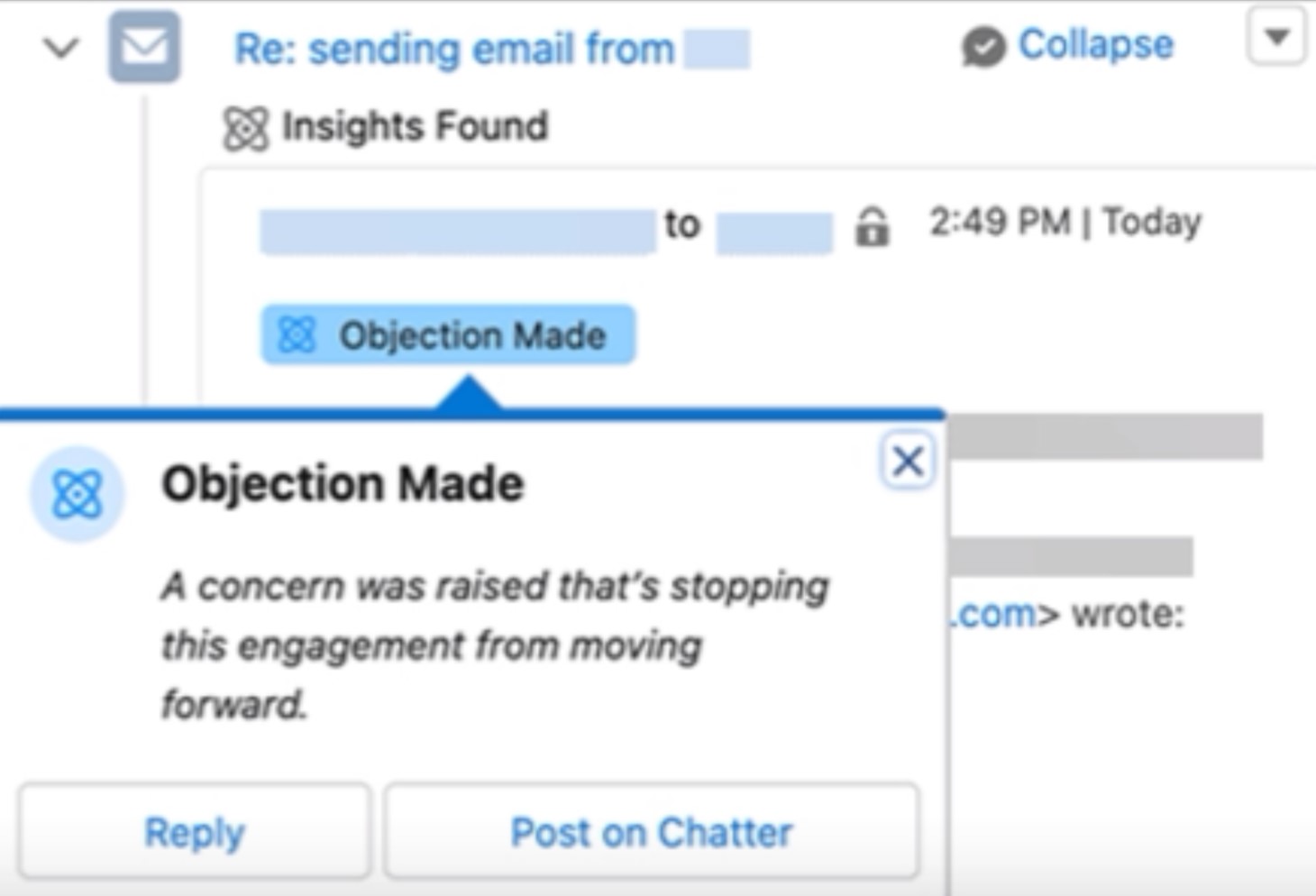
EAC används för att förbättra säljarnas produktivitet och säkerställa datakvalitet. E-postinsikt har fått en ny funktion, ‘Objection’ som finns vid aktivitetstidslinjen. Detta ger snabba och sammanfattade insikter som förenklar att stänga affärer.
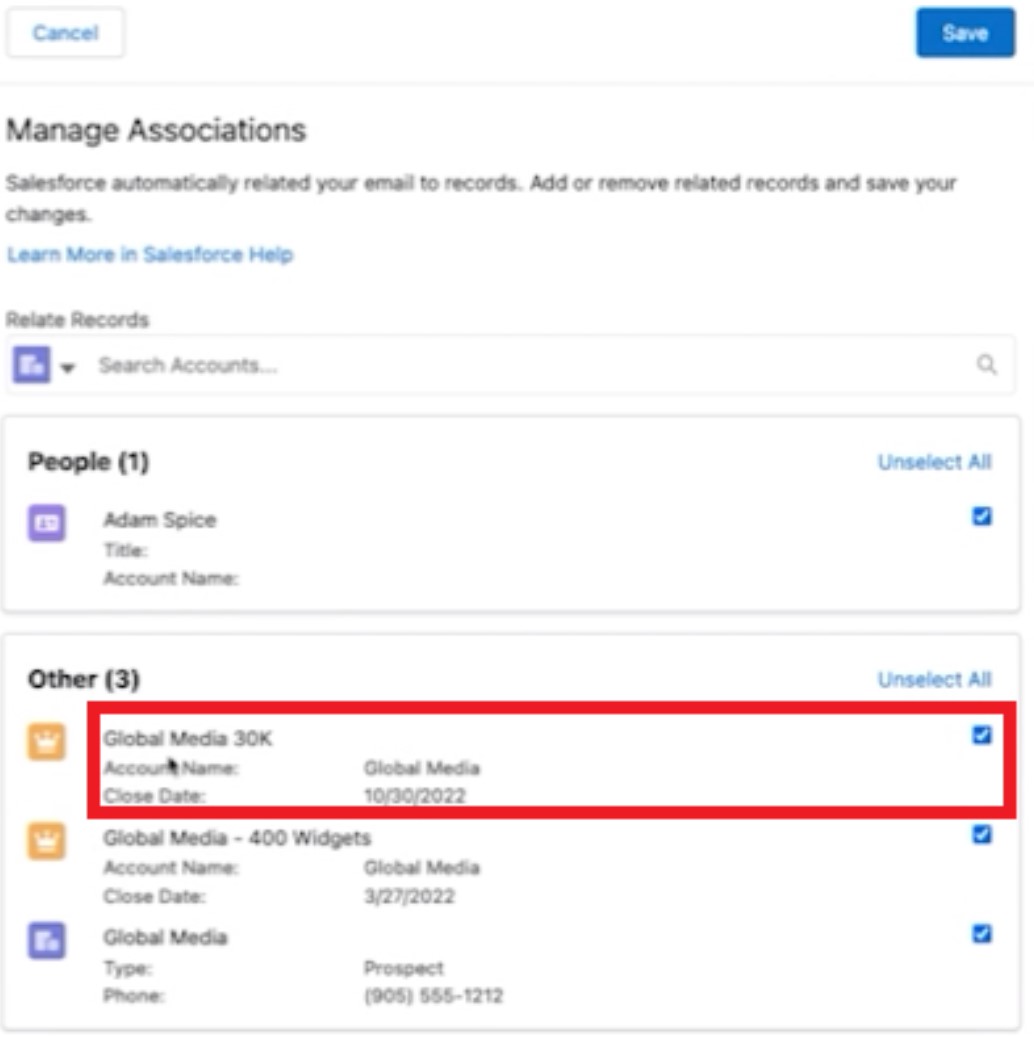
Dessutom, kommer du i den här releasen nu kunna relatera e-postmeddelanden via EAC direkt till konton, kontakter och säljprojekt.

Det är nu lättare att ändra vilken post mejlet ska associeras till om det inte associerats rätt från början. Som visualiserat nedan klickar man endast på pilen vid aktiviteten som ska redigeras och därifrån ta bort relationen eller byta relation.

8. Einstein Prediction Builder – Ny guide och åtkomst
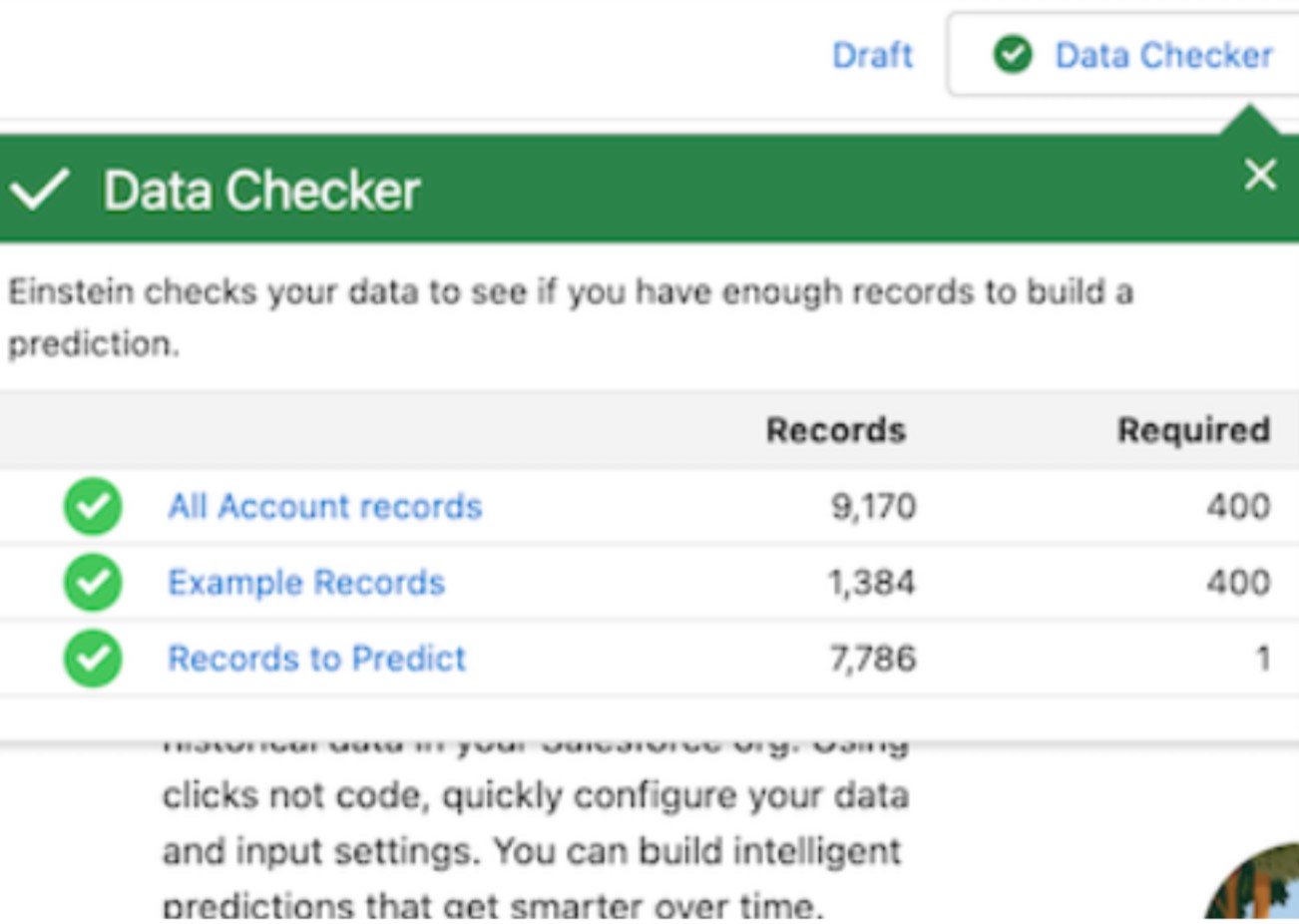
Data checker validerar när du har tillräckligt mycket data innan du börjar bygga rekommendationer och notifieringar i Einstein Prediction Builder. När du sedan bygger dina rekommendationer levererar data checker även status och en summering av datan.
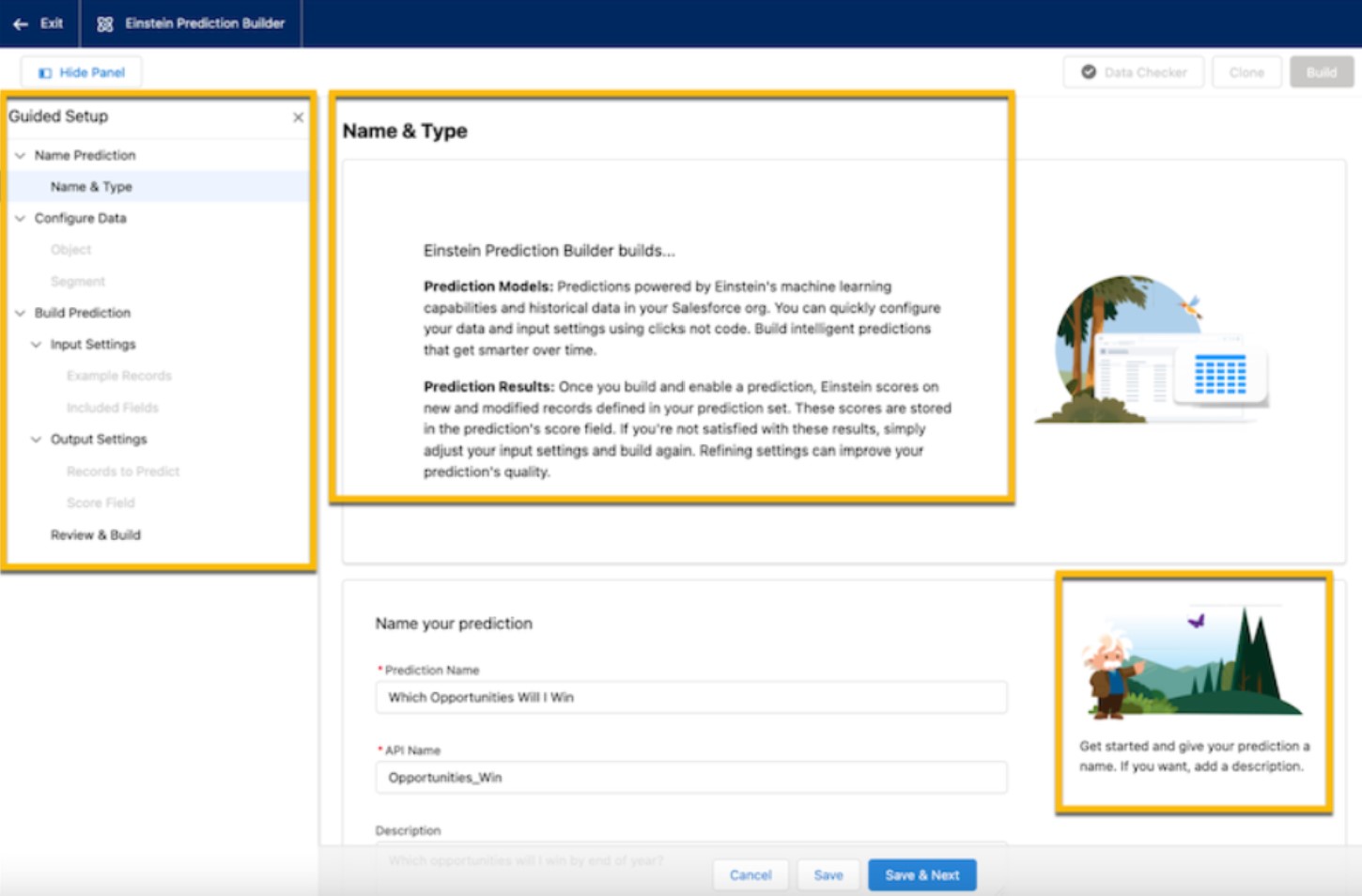
 I den nya Summer 22’ release kommer även en förbättrad guide hur du sätter upp och kommer igång med att bygga processer och rekommendationsmodeller i prediction builder. Det här kommer det göra det ännu lättare att sätta igång.
9. Salesforce Flow – Förbättringar och förenklingar
Workflow Rules Migration – Flow Builder Formula
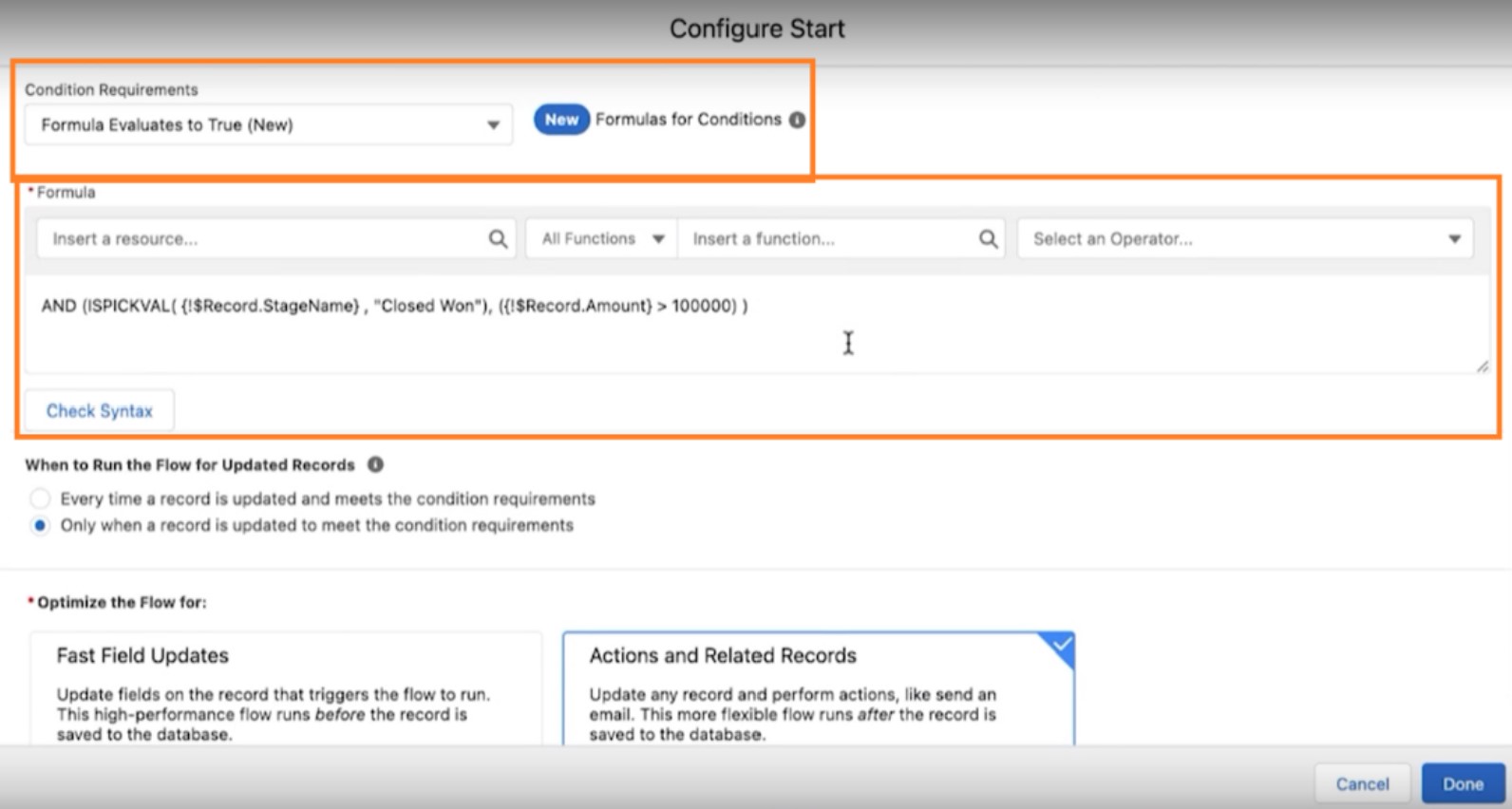
Salesforce planerar att dra in workflow rules sen en tid tillbaka, och då kommer Flow Builder vara standard alternativet. Ett problem med detta har varit att man inte kunnat migrera sina gamla Workflow Rules till Flow Builder när dom innehåller en formel i sina regel kriterier. Det här kommer att lösas nu med nya Summer 22’ release! Då kommer man kunna migrera sina gamla Workflow Rules smärtfritt!
Då är nästa logiska fråga att ställa sig, vad händer med gamla “formula” -regeln? Den flyttas över till ditt nya Flow I Flow Builder kommer det att finnas möjlighet att ha en “formula” -regel i sitt startvilkor! Detta ger oss mycket mer flexibilitet, vilket vi tycker om!
Flow Trigger Explorer
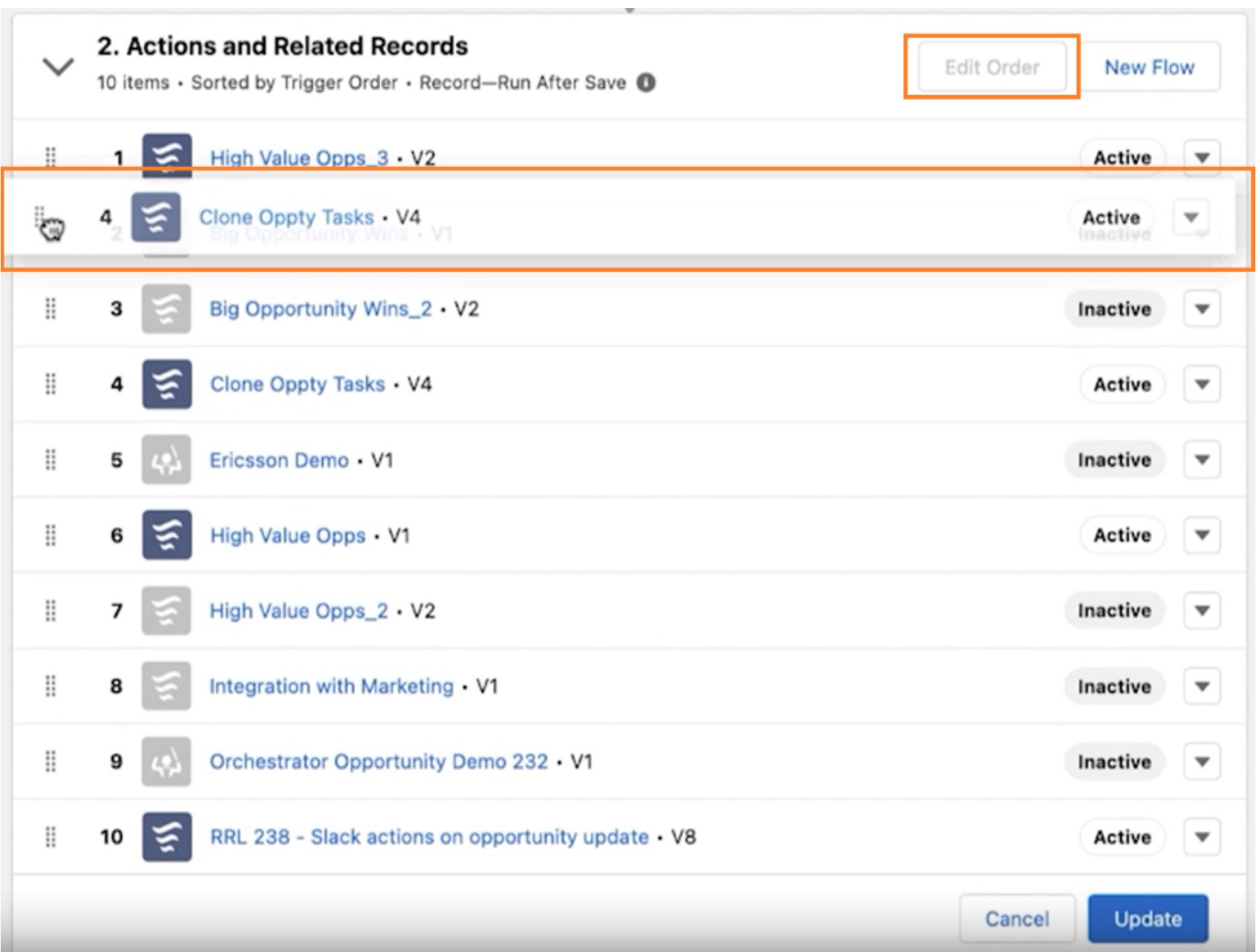
Nu visas dina flows i den ordning de kommer att exekveras. Du kan också trycka på ‘Edit Order’ och nu flytta och rada om ordningen med en simpel drag-and-drop. Detta verkar väldigt smidigt och ger en fin överblick!
Kontakta oss idag
Eller ring oss på +46 8 55 80 25 08