

Microsoft Release Wave 2 – Our Favorites
In Microsoft Release Wave 2 introduces new innovations that offer significant opportunities to simplify and streamline your business. The new release includes hundreds of new features across all Dynamics 365 applications, including Marketing, Sales, Customer Service, Field Service. We’ve summarized our favorites.
Marketing
With Dynamics 365 Marketing, companies can manage customer journeys in real time, providing greater opportunities to personalize the experience throughout the entire buying journey. This allows you to confidently scale your marketing and customer experience programs to reach multiple people simultaneously across various channels and touchpoints. With Microsoft Release Wave 2, this can be done for over 100 million customers with up to 300 million messages or interactions per month. Intuitive forms for collecting leads, increased automation in lead nurturing processes, and a new analytics dashboard make it possible to align sales and marketing teams’ efforts even more seamlessly.
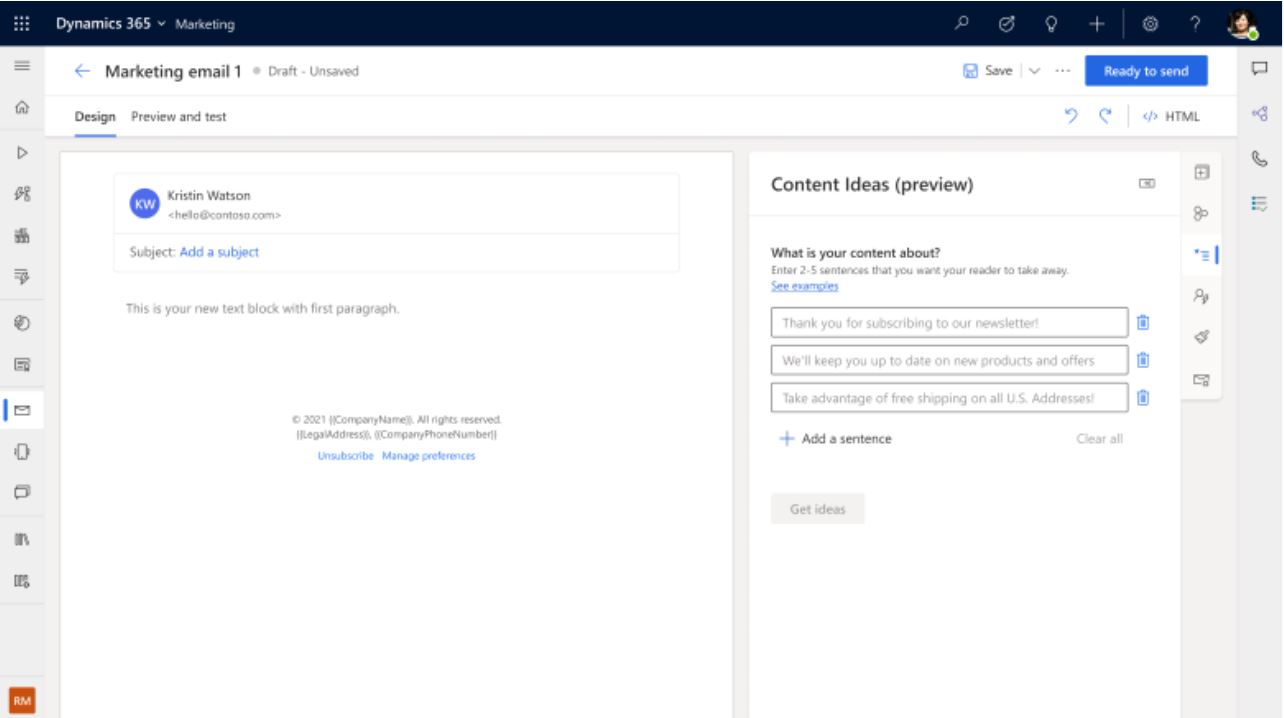
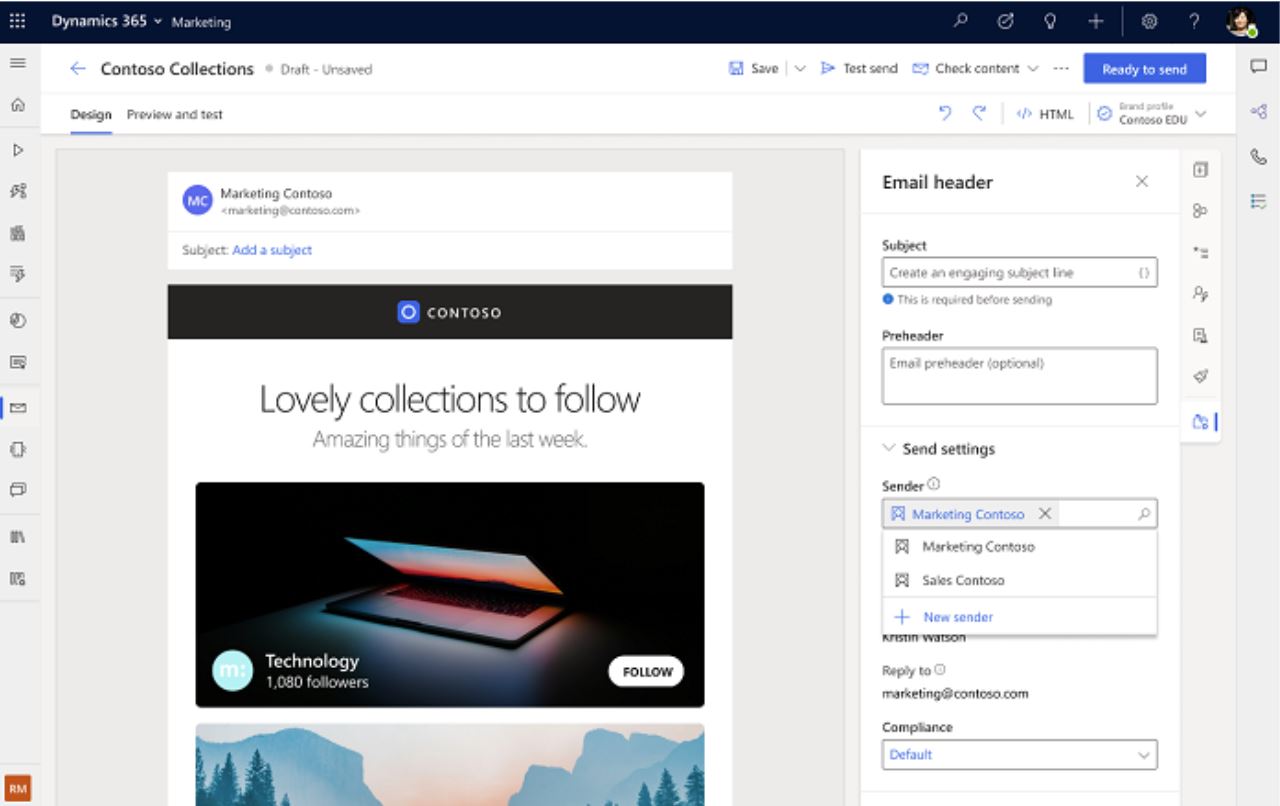
Companies can also take their marketing to new heights through AI-driven selection of “next best content” and enhanced support for multiple business units, which means, among other things, that messages can be customized based on the sender.
- Boost your creativity with AI-powered ideas for email content (Next best content):
- Easily manage content across multiple brands:
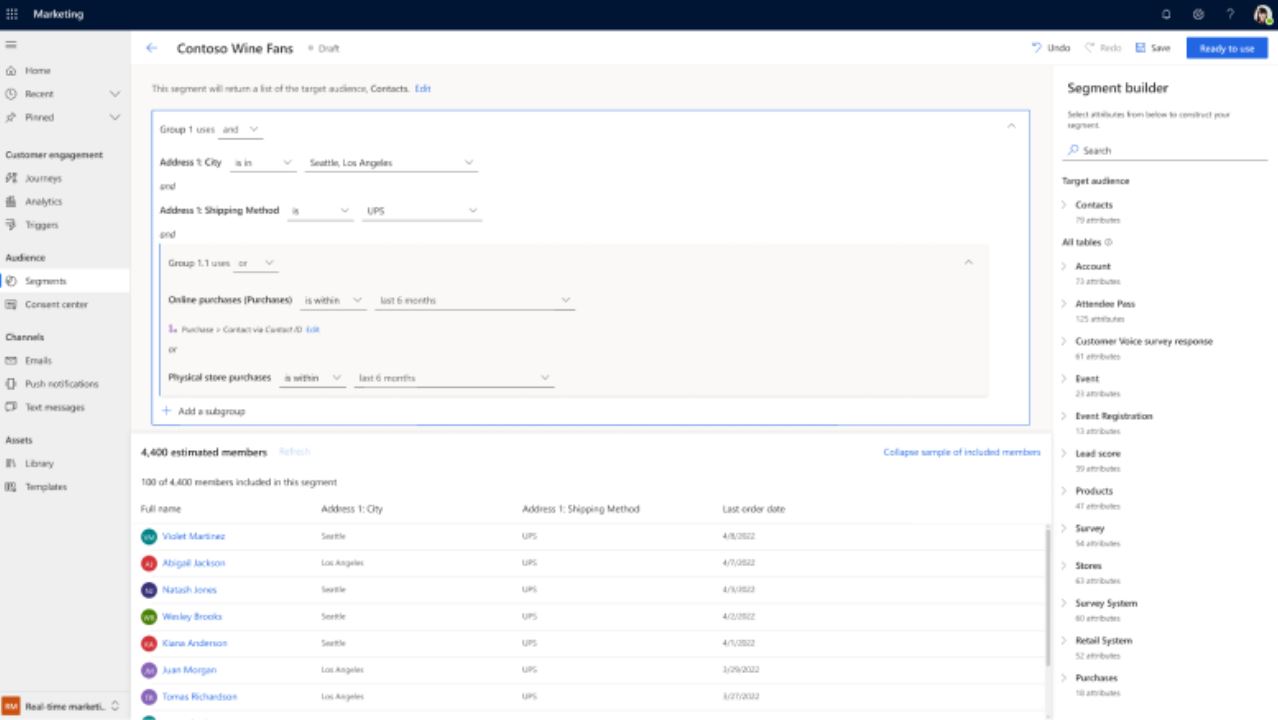
- Reach the right audience with the new segment builder:
Sales
Dynamics 365 Sales continues to streamline the sales rep’s daily workflow using data analytics and AI, which help sales reps prioritize their work. Dynamics 365 Sales combines business and productivity tools to support sales reps wherever they are, facilitate collaboration, and boost productivity.
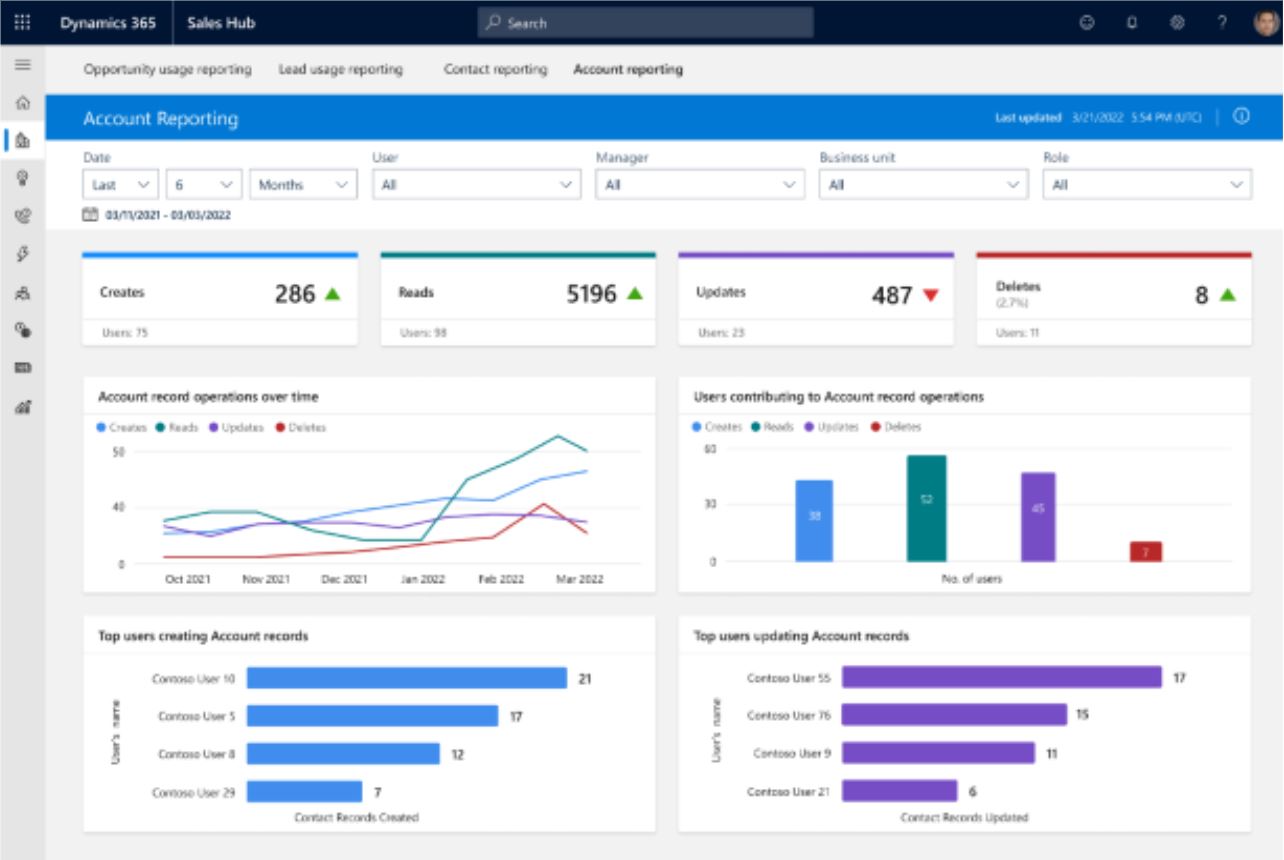
Among other things, the new release includes insights—in the form of simple reports—on how the application is used by different user groups:
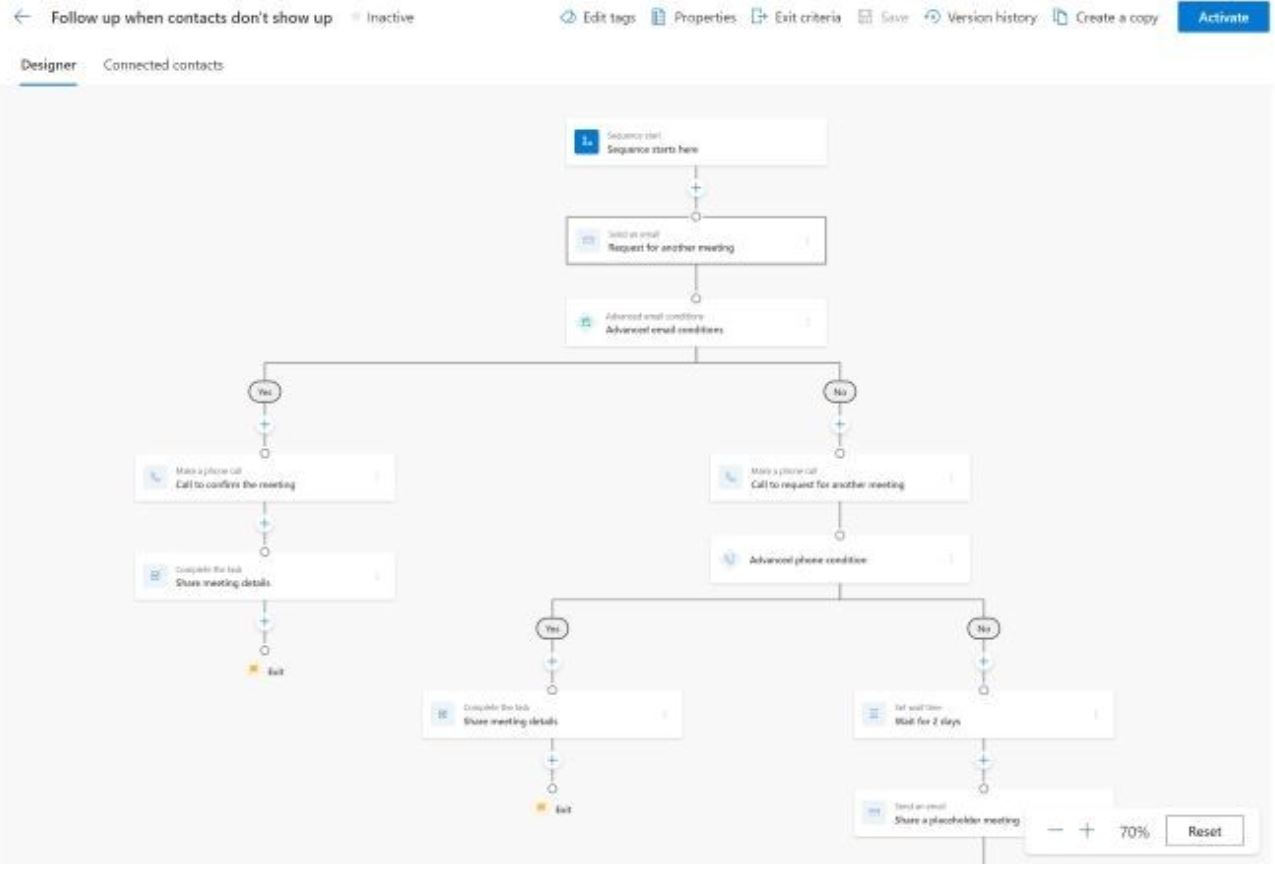
- Improved experience when creating sequences with a new designer:
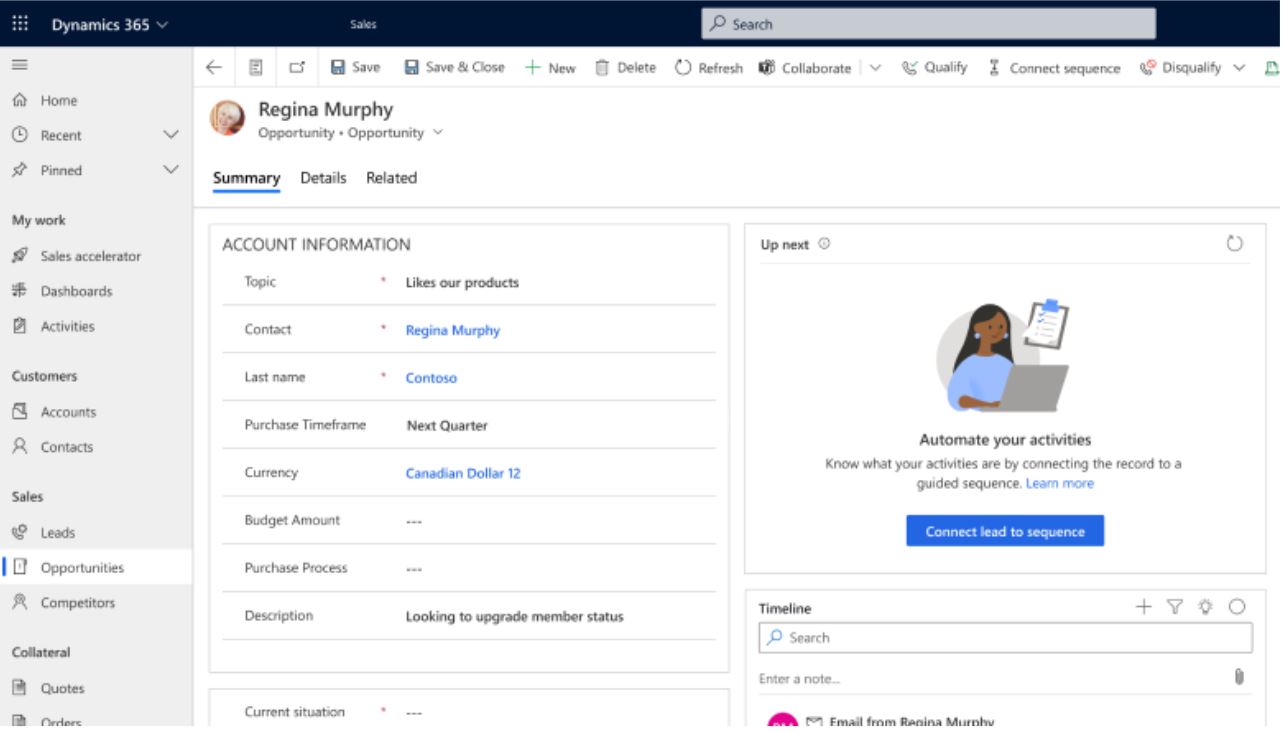
- Use sequences and ”Up next” in any form and give salespeople the opportunity to design their own sequences:
Customer Service
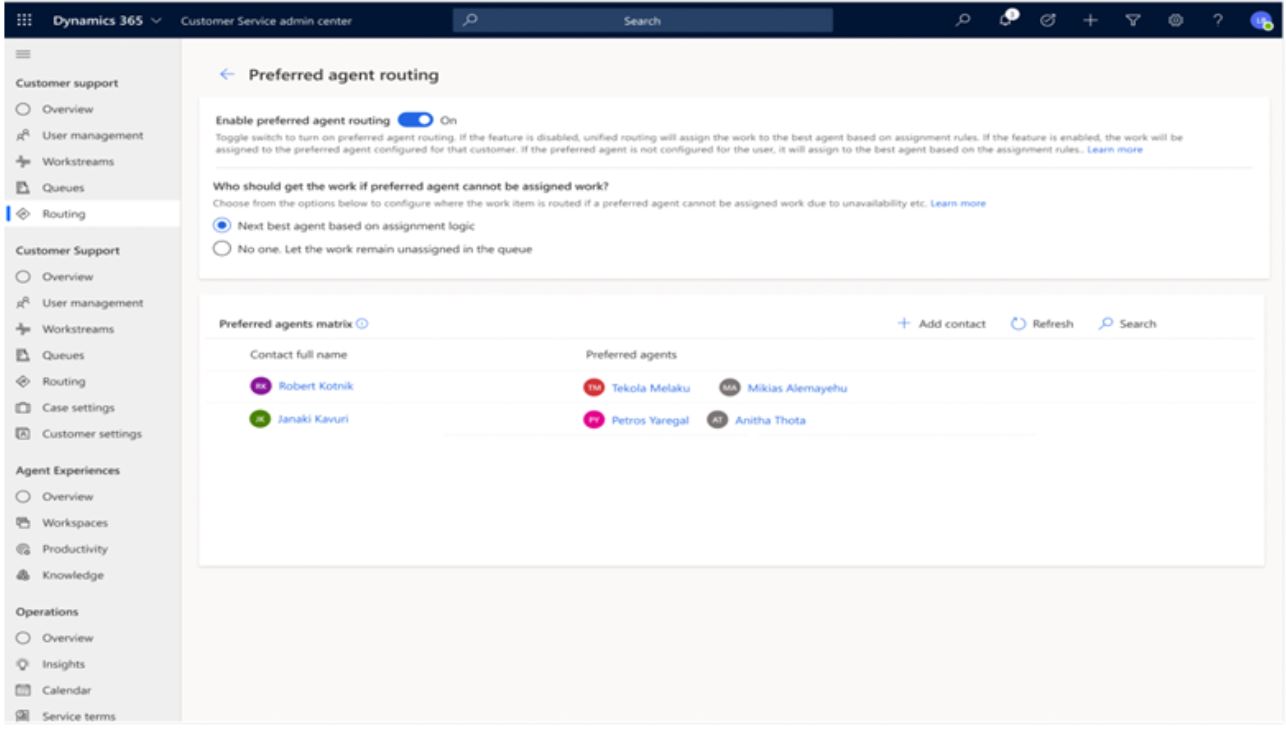
In the new Microsoft Release Wave 2, Dynamics 365 Customer Service focuses on delivering features that help drive optimal contact centers through functionality such as percentage-based routing, routing to preferred customer service agents, and routing based on the longest idle time. Microsoft Teams can now also be used to help customer service agents involve multiple experts to collaboratively resolve complex cases. Companies can now give their customers the ability to leave voicemail messages, request callbacks, and call customer service agents directly.
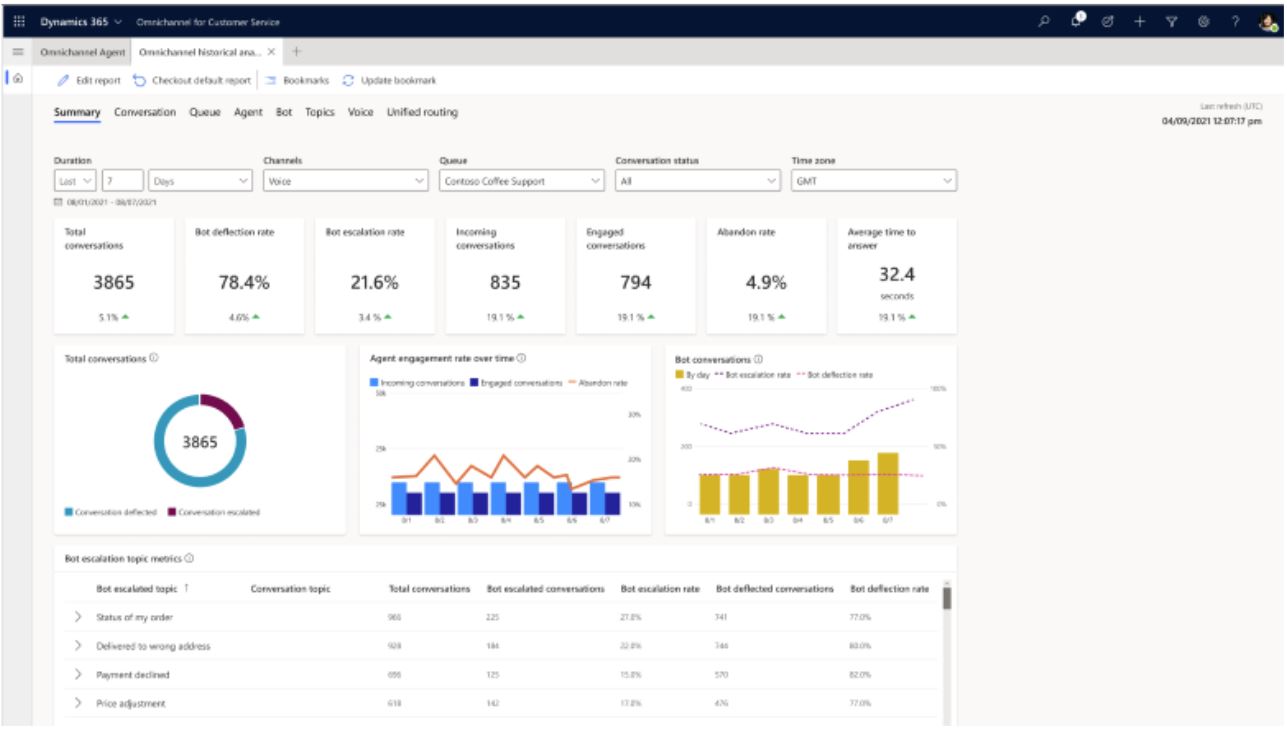
The customer service experience is being modernized with an improved call timeline and AI-powered call summaries. Supervisors can view Power Virtual Agents analytics in their Omnichannel analytics dashboards.
- View AI-suggested similar cases and knowledge articles:
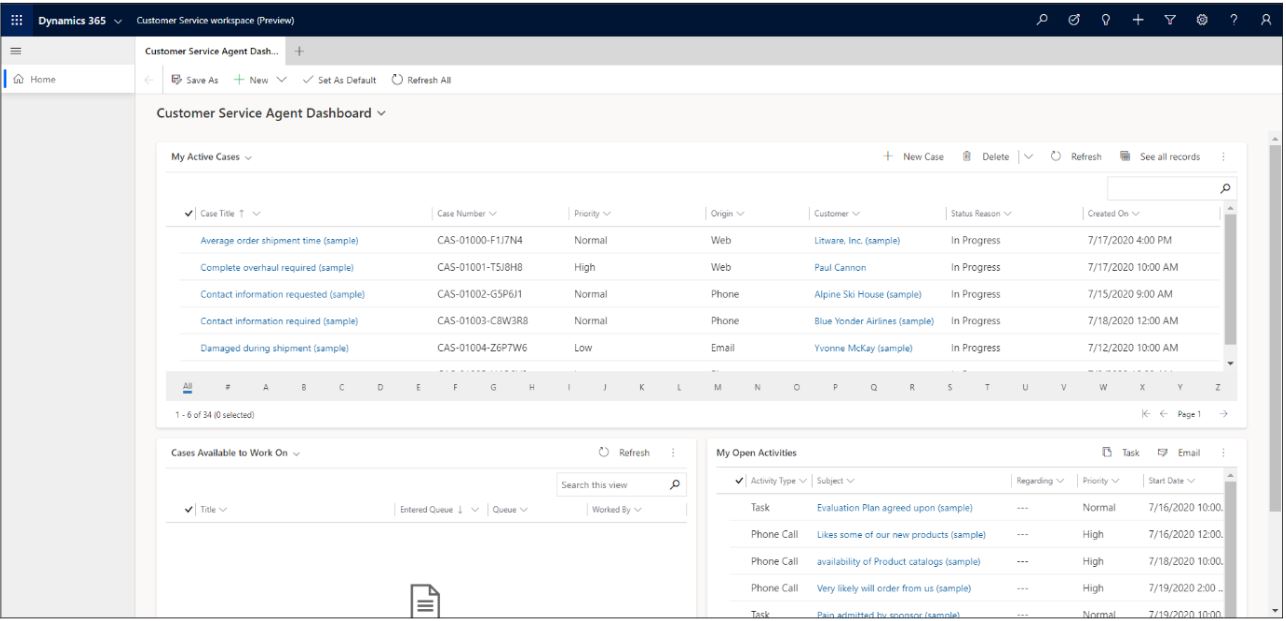
- Assign tasks to the desired customer service representatives:
- Integrate Power Virtual Agents bots, “agent analytics”:
Field Service
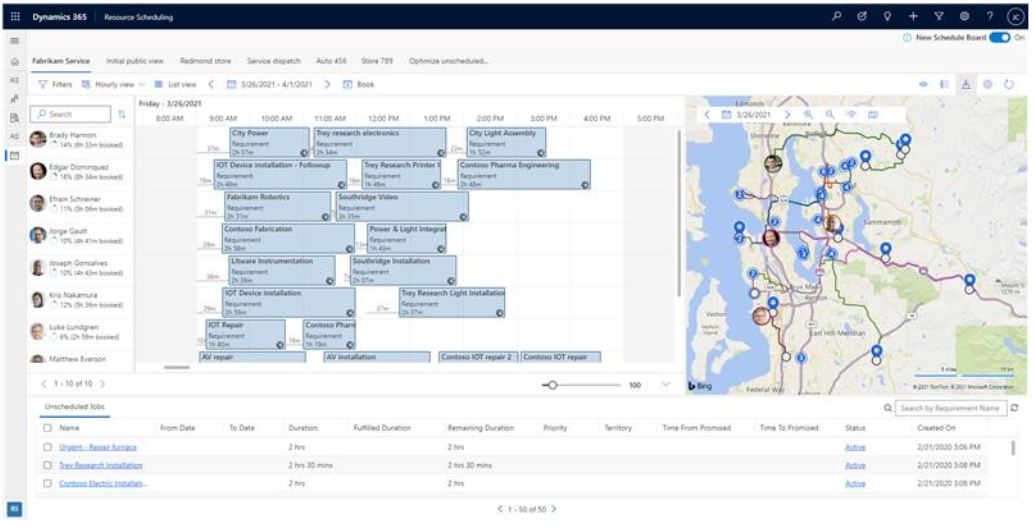
Dynamics 365 Field Service includes new features that enable organizations to better orchestrate service operations for employees. Organizations can now create and maintain locations and assets for large facilities, control costs by configuring “do not exceed” limits, and group similar incident types under “categories” to streamline management. The new release also adds optimization improvements to booking lock restrictions and introduces an enhanced user experience in the mobile app to continue empowering frontline employees.
- The new schedule board is now standard for all deployments:
Power Platform:
Microsoft Power Platform enables users and organizations to analyze, act on, and automate data to digitally transform their businesses. Microsoft Power Platform currently consists of four products: Power BI, Power Apps, Power Automate, and Power Virtual Agents. It also includes two add-ons: AI Builder and Power Pages.
Power BI
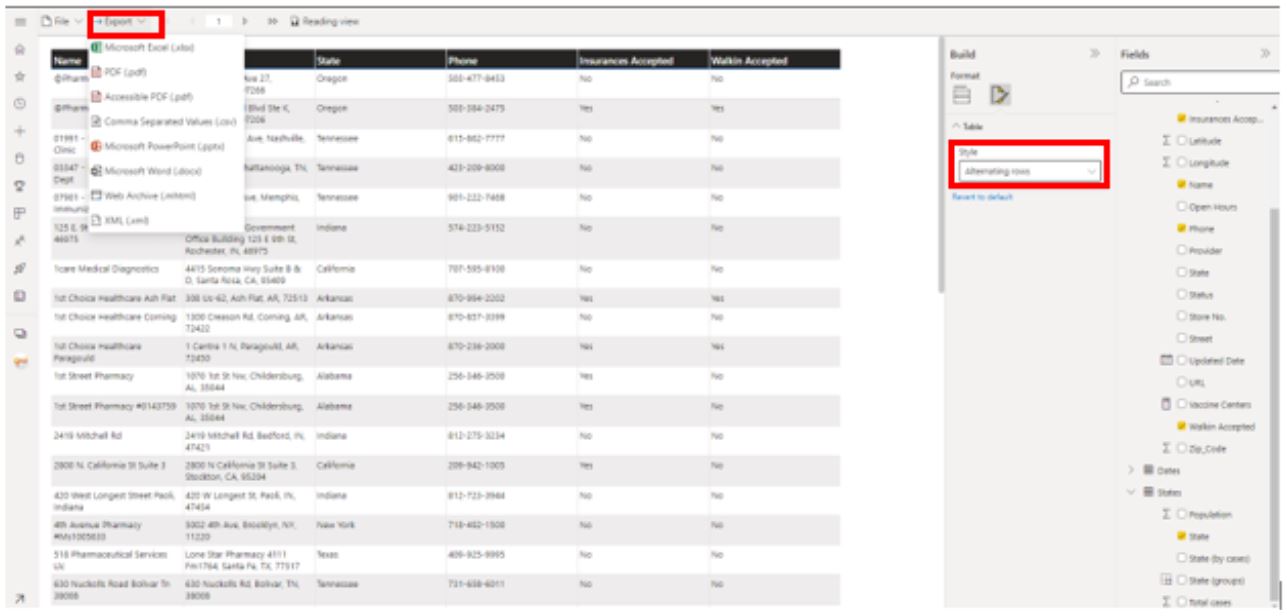
Power BI continues to invest in empowering individuals, teams, and organizations to work in a data-driven way. By bringing the Power Query chart view to Power BI Desktop, creators can perform ETL on their data without using code. For teams, improvements to “Metrics” will focus on business needs and integration with Viva Goals. Additionally, the Big Data experience will be enhanced through automatic aggregations, query scaling, data protection features via DLP, and improved visibility into administrator activity.
- Create exportable formatted data tables:
Power Apps
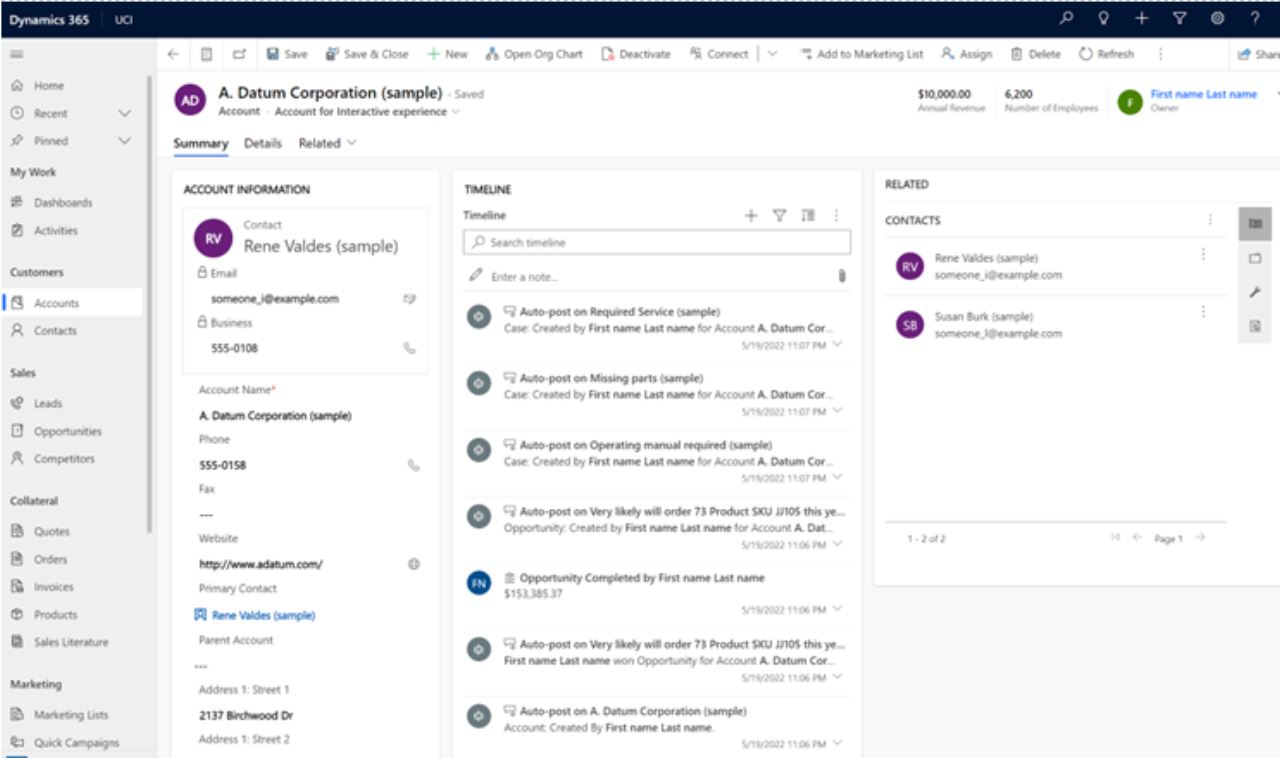
In the latest release, Power Apps will expand its governance capabilities so that organizations can empower, manage, and support “citizen developers” across the entire organization. “Makers” and developers at all skill levels will become more productive through Microsoft Dataverse in a unified studio. The new release delivers a modern experience that enables the building and management of data, logic, and intelligence to support development, enrich data, and optimize user experiences. In addition to ensuring trust and the ability to enrich data experiences, both decision-makers and users will benefit from out-of-the-box collaboration features that enable users to be more productive when working together.
- Improvements to the UX form:
- Filter the data in the grid, save the results as a view:
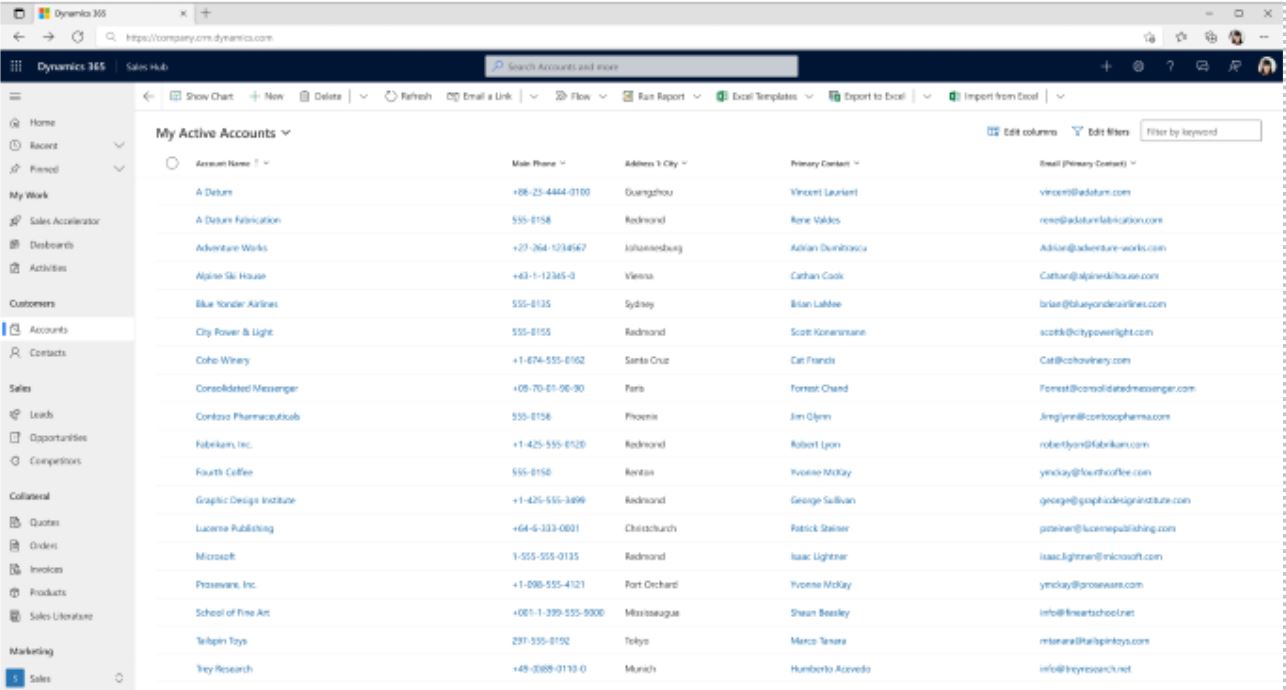
- View your colleagues' attendance:
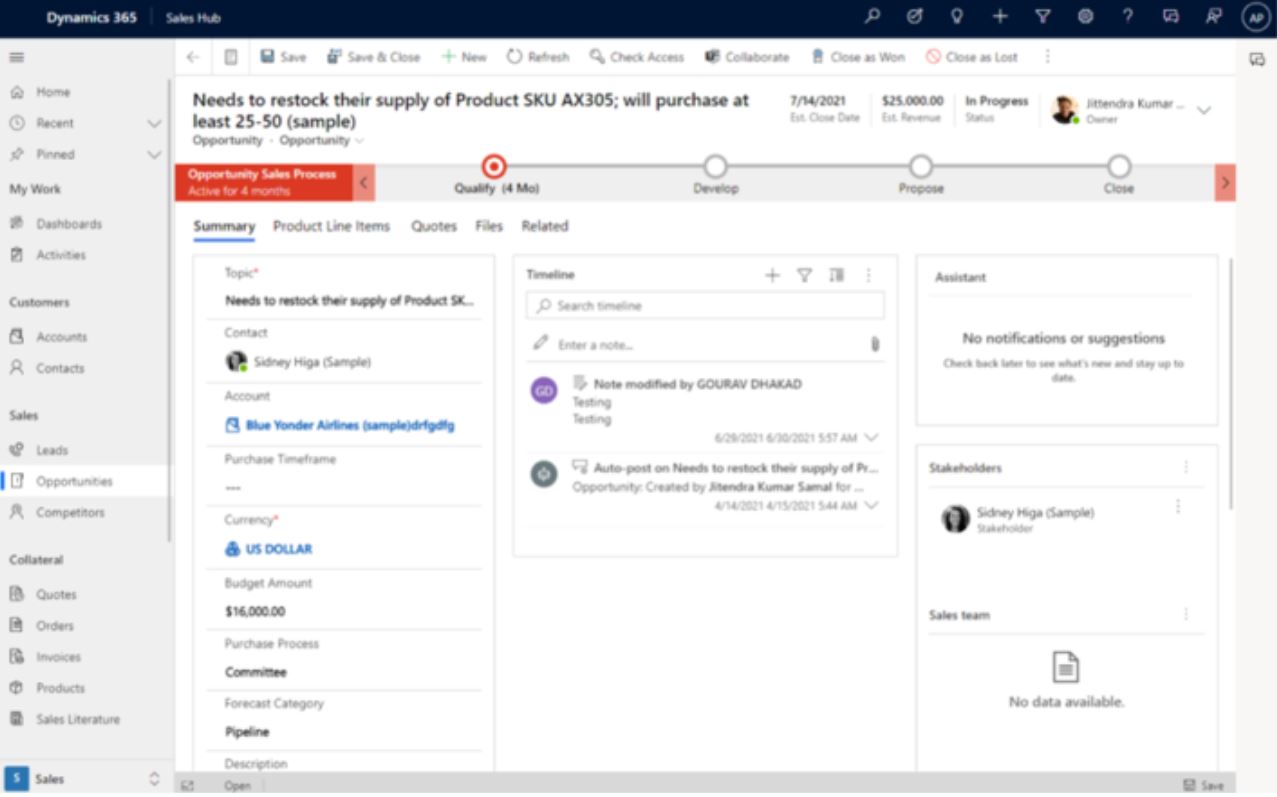
Power Pages
Power Pages continues to invest in more out-of-the-box features to support both low-code and no-code development. Some of the key features in this release provide developers with additional capabilities for working with forms and lists using Design Studio, as well as the ability to get started quickly with new templates. There are improvements for professional developers who can do more with their websites using the Microsoft Power Platform CLI tool and Visual Studio Code, as well as for administrators who can better manage and control their Power Pages websites.
Power Automate
Power Automate is now more accessible than ever, with new experiences that help users of all skill levels build their flows in the cloud and on the desktop. Organizations need to automate their Power Automate deployments, so there are further improvements for ALM (Application Lifecycle Management), and with the increased use of RPA (Robotic Process Automation), we’re adding features to make it easier to manage machines in Azure and authentication credentials for your users and accounts.
Learn more about Microsoft Release Wave 2 here, or contact us if you’d like to know more.
Contact us today
Email us at info@releye.se