

Microsoft 365 Copilot: 5 Roles Your AI Assistant Will Take On
AI has taken the world by storm, and there is no doubt that it will change the way we live, work, and think. Microsoft recently launched its new AI-powered tool, Microsoft 365 Copilot (currently available only to a limited group), which is designed to help Microsoft users become more productive. We’ve taken a deep dive into this future assistant and identified five roles that Microsoft 365 Copilot will be able to fill to make your work easier.
1. The Analyst
Now it’s not just Excel enthusiasts who can write long formulas and perform complex calculations. With Copilot, you can easily analyze data in Excel while receiving suggestions on which charts or tables are best suited for visualizing the data. The AI assistant also identifies trends and patterns in your data.
2. The Creator
Microsoft 365 Copilot converts your written documents into PowerPoint presentations complete with speaker notes and citations. It can also help you shorten lengthy presentations, insert images, adjust layouts, and reformat text. According to Microsoft’s press briefing, the average PowerPoint user utilizes only 10 percent of the tool’s full potential. With Copilot, many more features will be used.
3. The Communicator
Microsoft 365 Copilot improves your communication by offering suggestions on how to phrase your emails, reports, or other business documents to better connect with your audience. You can also receive feedback on grammar, tone, and style to ensure your messages are clear and professional. By acting as a virtual writing coach, Copilot can help you improve your writing skills and communicate more effectively in the workplace.
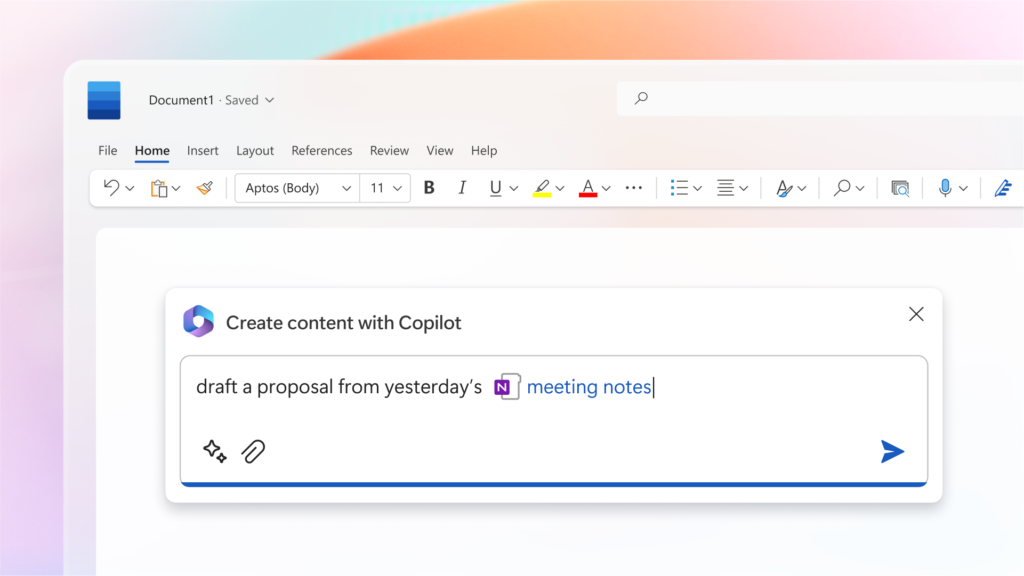
Microsoft 365 Copilot helps you create a written proposal based on your meeting notes.
4. The Advisor
Thanks to AI and machine learning, Copilot can provide recommendations based on your past behavior. For example, Copilot can streamline your workflow by automating tasks and suggesting ways to use other types of tools.
5. The Organizer
It’s time to get organized. Copilot is a meticulous organizer that can manage and organize your tasks. Among other things, the AI assistant helps you schedule meetings, create to-do lists, and set reminders. You can also get help organizing discussion points, summarizing key actions, and keeping track of deadlines and priorities.
“I use AI and ChatGPT in my daily work and encourage my colleagues to use them as well. It lightens the load, simplifies, and streamlines my daily routine immensely, helping me with everything from drafting a speech to proofreading a text and brainstorming ideas for new strategies or work methods. However, it’s important not to feed AI with sensitive or client-specific data. I’m really looking forward to starting to use Copilot in my daily work.”
– Charlotte Magne, CEO of Releye
Microsoft 365 Copilot is powered by OpenAI’s GPT-4 model and is currently being tested by a limited group. The AI assistant is expected to be released to the general public later this year. Learn more about Copilot at news.microsoft.com
Contact us today
Email us at info@releye.se