
8 Customer Insights updates from Microsoft Release Wave 1, 2025.
This weekend marks the launch of Microsoft’s Release Wave 1, 2025, which introduces a range of new features for Dynamics 365 Customer Insights – Journeys. With enhanced Copilot capabilities, marketing teams gain smarter tools to create engaging content, optimize campaigns, and analyze customer behavior in real time.
Here is a summary of the most exciting news in Customer Insights, presented by our application consultant Lina Axelsson:
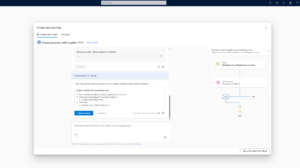
1. Create journeys with Copilot
Now anyone can create customer journeys in just a few minutes, with no prior experience required. Simply describe the journey you want to create using natural language, and let Copilot build it for you. You’ll be able to quickly get started on the customer journey you want to create and also receive suggestions and inspiration for suggested customer journeys. Once a draft has been generated, you’ll be able to preview the result and fine-tune the details to suit your needs.
We’ve read about this feature in previous release waves, and it’s been available as a public preview for a while, but it will soon be generally available.
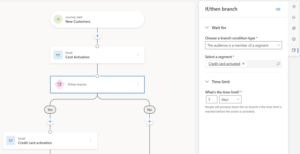
2. Trigger the next step in the customer journey based on segments
This feature provides even greater control over the customer journey by setting a condition that triggers the next step in the journey based on whether a person is added to a specific segment. This enables improved personalization and relevant experiences based on customer behavior.
This feature builds on existing if/then rules. You choose how long you want the customer to wait to become a member of the segment before the customer journey continues. You then define which actions should be taken based on whether or not the customer is included in a segment.
3. Set up Quiet Times based on time zone
Quiet hours are set to ensure that customer interactions occur at appropriate times of the day. You can now customize quiet hours based on the customer’s time zone and region. This is done to avoid disturbing customers at night or on weekends, thereby maximizing engagement with your communications.
4. Pause customer journeys
For situations where you need to pause ongoing campaigns, the feature is now available Pause Customer Journeys. You can manually pause a journey to prevent new customers from joining, and then resume it at a later time. In other words, it becomes easier and less stressful to handle unexpected events, rather than stopping the customer journey entirely.

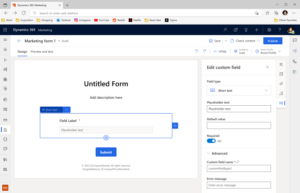
5. Collect additional customer information via forms
In many situations, it can be helpful to collect additional information from the customer via a form—for example, when someone registers for an event, you might want to ask questions such as: “How did you hear about us?” or “Do you have any allergies we should be aware of?”
Previously, it was necessary to create new fields in the contact or lead table in order to collect such information. The problem with this is that it can quickly lead to a jumble of fields that are only used temporarily and are not always relevant for future work.
With this new feature, you can instead add custom fields directly to the form without creating new fields in the database. These custom fields are completely independent, and any information the user enters is saved only as part of the form response itself. It’s a smart way to keep your data model clean while maintaining full flexibility to collect exactly the information you need.
6. Export Customer Insights data
CustomInsights Insights – Journeys has previously offered advanced features for custom reporting via Microsoft Fabric. However, many companies already have existing systems, and thanks to newupdatess,it is now easier to integrate with the reporting and analytics systems you already use. This means that you can now export data, such as opened or clickede email orinformation inforinformation about email that bounced, to youragainringrequestsolution stwithout needpractice usingthe Fabric.
7. Create event portals with Power Pages
Create a comprehensive event portal where potential attendees can access a list of events, a detailed event page, and a registration page. The portal can be built using Customer Insights and a Power Pages template to speed up the creation process. In the event portal, you can create a list of upcoming events and provide detailed information about each event, including sessions, speakers, and registration forms.
8. Streamline the handoff from marketing to sales
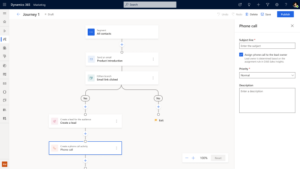
Create a seamless transition from marketing to sales by automatically generating sales activities and records directly from customer journeys. When a customer engages and shows interest, you can create tasks, phone calls, or leads based on their interaction. This ensures that the sales team receives relevant information at the right time and can follow up effectively to increase conversions.
Are you interested in learning more about Customer Insights – Journeys? Please feel free to contact Lina Axelsson, who would be happy to tell you more.

Lina Axelsson
Application Consultant at Releye
Contact us today
Email us at info@releye.se