

7 highlights from the Salesforce Spring '24 release
With a strong focus on improved usability and accessibility has we handpicked some of the most useful updates in Salesforce Spring 24. Explore the latest features in Seller Home, custom fields, easier report management, and Account Intelligence View to optimize your team. Â
1. Seller Home
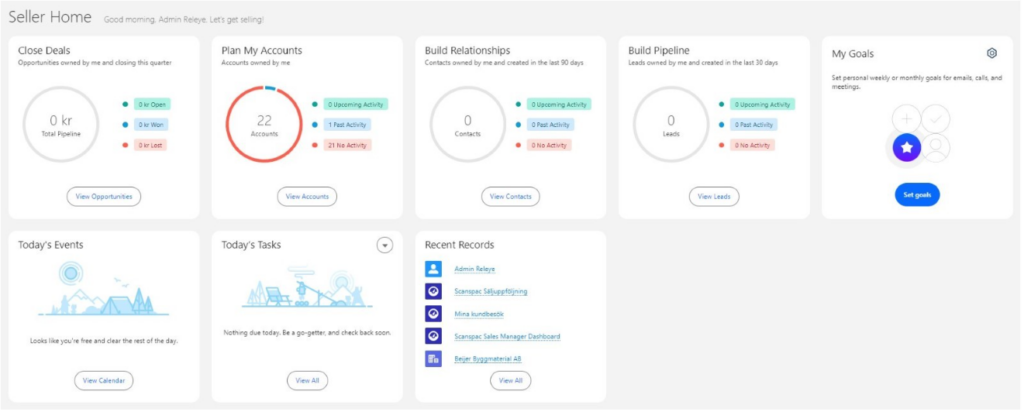
“Seller Home” is designed to give the sales team a comprehensive overview of their operations. On a single screen, salespeople get a quick overview of key information such as:Â
- OpportunitiesÂ
- AccountsÂ
- LeadsÂ
- ContactsÂ
- Weekly or monthly goalsÂ
- Today's EventsÂ
- To-do listsÂ
- Latest postsÂ
- Contact recommendations – identified by Einstein based on the user's email and events.Â
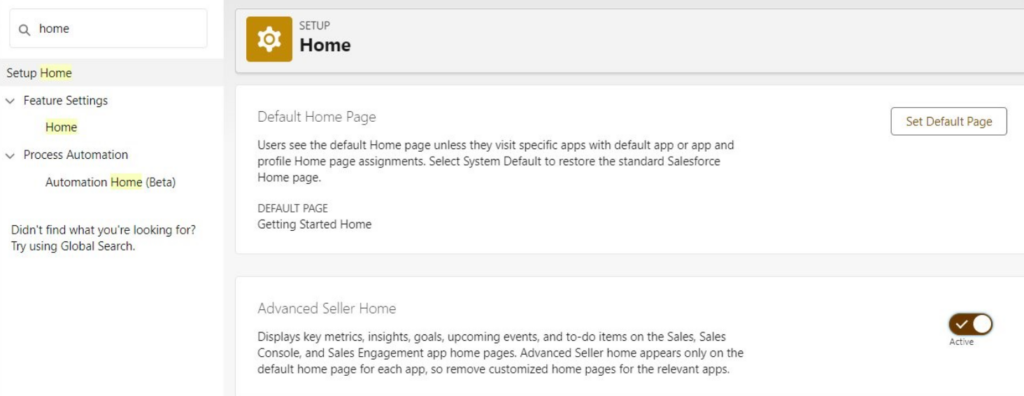
To enable Seller Home, go to Settings and search for “Home.” There, you can easily enable the dashboard. Please note that Seller Home is the default home page for the Sales, Sales Console, and Sales Engagement apps. It therefore appears automatically if no custom home page has been applied.Â
This update applies to Lightning Experience in the Professional, Enterprise, Performance, and Unlimited editions with Sales Cloud.
2. Device-specific fields on desktop and mobileÂ
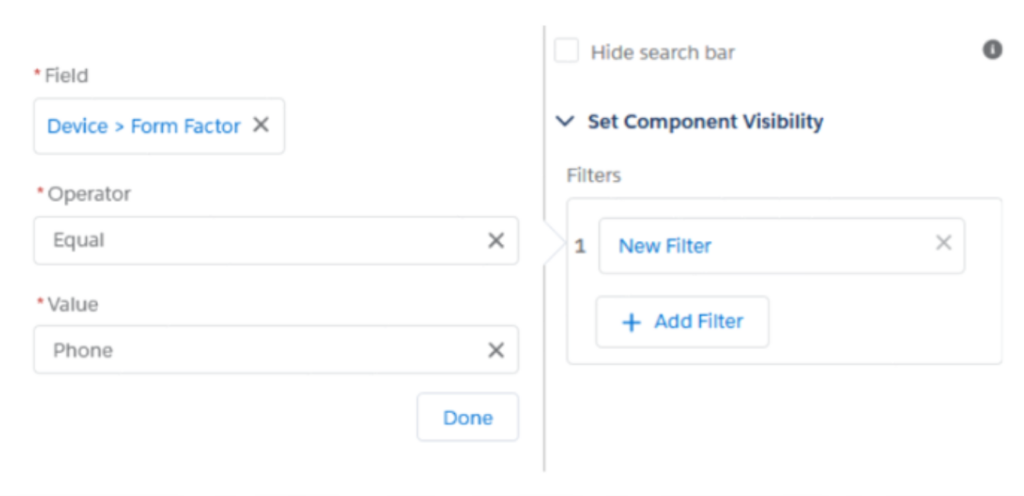
With the latest release, you can now create rules based on what you want to see depending on which device you're using. This means you can choose which specific fields should be visible on mobile and which fields should be visible on desktop.Â
This update applies to the Lightning Experience in the Group, Professional, Enterprise, Performance, Unlimited, and Developer editions.Â
3. Move multiple columns at once in the report
Â
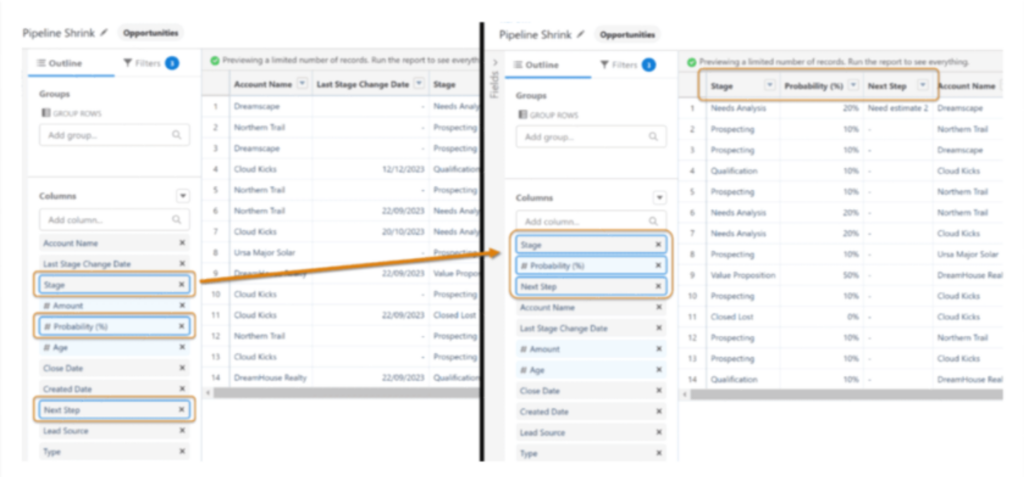
In the latest update, you can now easily move multiple columns at once in the Lightning Report Builder. Previously, this feature was only available in Salesforce Classic.Â
This change applies to Lightning Experience in the Group, Essentials, Professional, Enterprise, Performance, Unlimited, and Developer editions.
4. Improved use of filters in reports
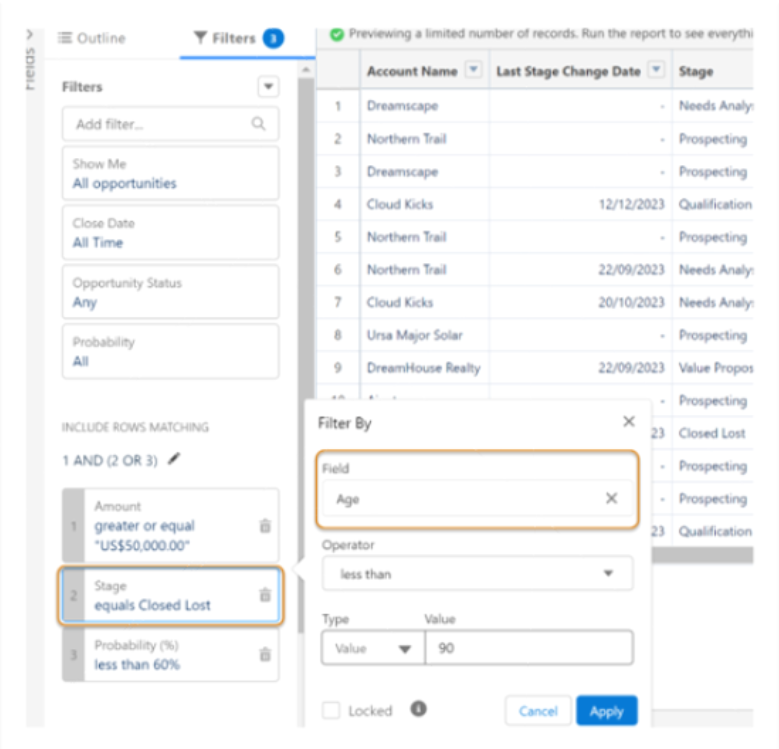
Now you can change the field in a Lightning report filter without having to delete and add a new filter. For example, you can change a filter from “industry” to “type” in a report on accounts without deleting and recreating the filter and its logic. Previously, it was only possible to change the operator and the value, not the field itself. This feature was previously only available in Salesforce Classic.Â
Â
This change applies to Lightning Experience in Group, Essentials, Professional, Enterprise, Performance, Unlimited and Developereditions.
5. Account Intelligence View
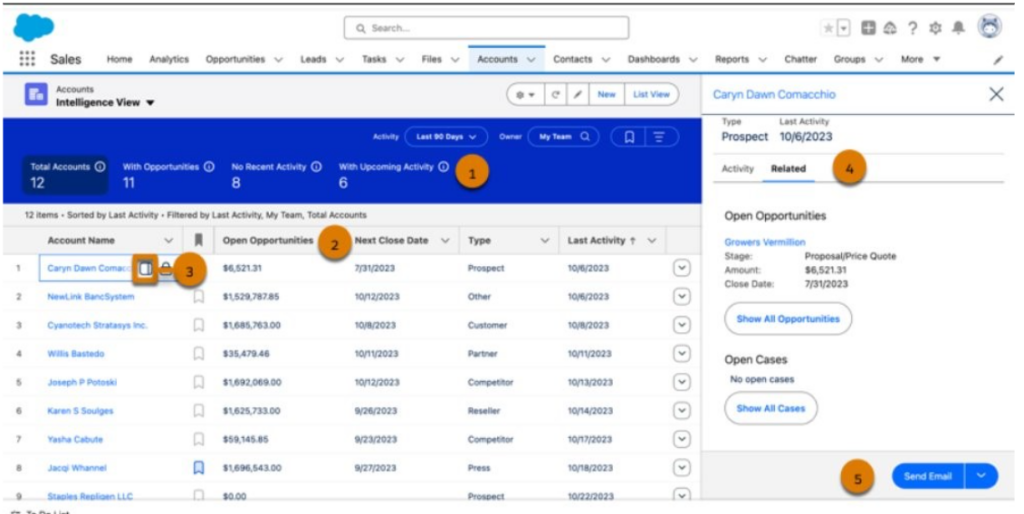
Salesforce Spring 24 makes it easy to filter accounts (1) and view metrics such as the total value of open opportunities and the next closing date (2). To view detailed activities, opportunities, and case data for individual records, click the sidebar icon (3) next to the record’s name. In the side panel, you can easily switch between tabs showing activity data or related records (4) or log an activity (5) without leaving the Intelligence view.Â
Account Intelligence View is available in the Lightning Experience for the Professional, Enterprise, Performance, and Unlimited editions of Sales Cloud.Â
6. Omni-Channel with sidebar layout
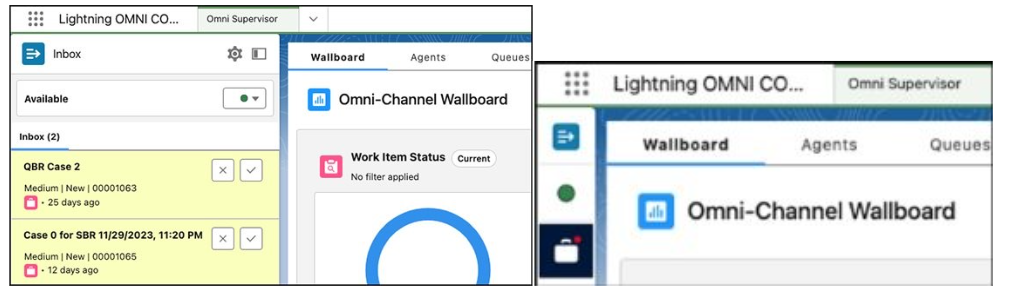
Now you have a better overview of your work and can easily switch between different tasks with the new Omni-Channel sidebar. The tab can be easily collapsed when extra space is needed. The sidebar works in apps with either standard or console navigation.Â
This change applies to Lightning Experience in the Professional, Enterprise, Performance, Unlimited, and Developer editions.
Â
7. Dynamicsshall aactions on mobileÂ
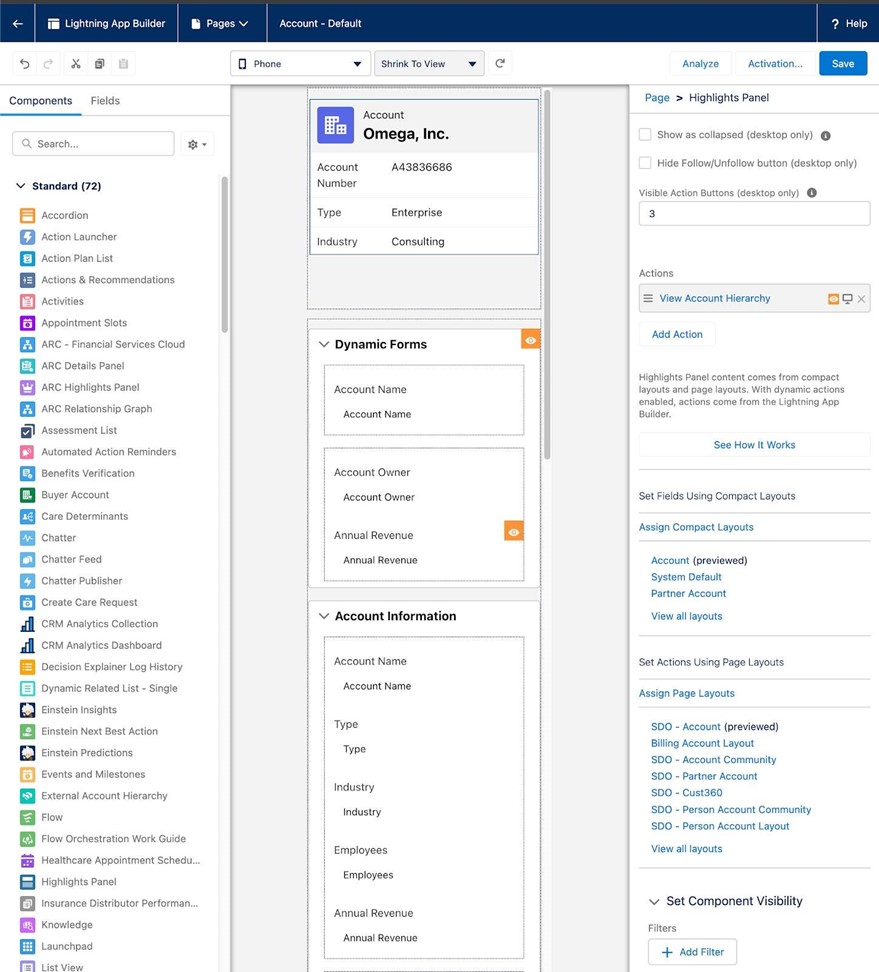
Our final highlight in this release simplifies the user experience on mobile devices. By applying action rules based on users, roles, or other specific criteria, you can create a more personalized and tailored view, for example on the customer card or contact card. Use Lightning App Builder to easily assign actions and fine-tune settings with filters.
Dynamic actions on mobile devices are available in Lightning Experience on desktop and the Salesforce mobile app in the Group, Essentials, Professional, Enterprise, Performance, Unlimited, and Developer editions.
Would you like to learn more about Salesforce’s latest release and how you can benefit from it? Contact us!
Contact us today
Email us at info@releye.se