

Explore the News in Microsoft Release Wave 2 2024
Microsoft continues to enhance Dynamics 365 with new features and improvements that help businesses increase their efficiency and build more valuable customer relationships. In the latest Release Wave 2 2024 for Dynamics 365, we see a range of innovations aimed at improving the experience within Sales, Customer Service and Customer Insights. The features will be rolled out from October through March. Let’s take a closer look at our favorites!
Sales
Group and aggregate data in views
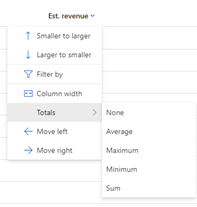
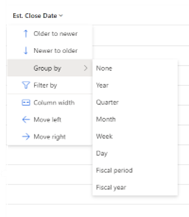
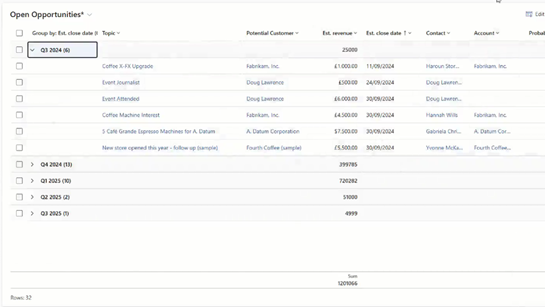
New features in views allow you to group and aggregate data, reorder columns, and adjust column widths. You can now easily sum numerical values such as calculated values and actual revenue directly in the view. For each column, you can choose to display the sum, minimum, maximum, or average of the values in that column. If groupings have been applied, aggregated values are also displayed for each group.
Resize side panels
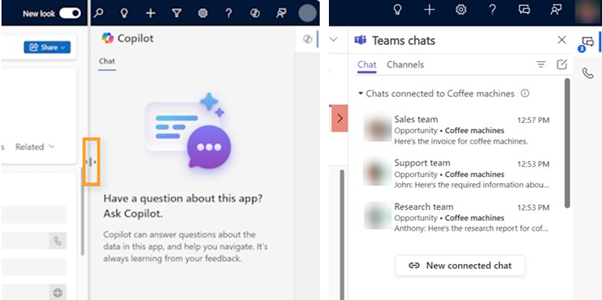
You can now resize the side panels for Copilot Chat, Teams Chat, or other productivity tools. This feature is particularly useful on larger screens, where extra workspace is valuable. By adjusting the width of the side panels, users can work more productively and access important information more easily.
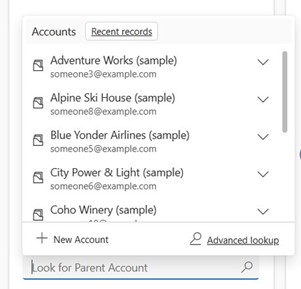
Select entries more easily in the lookup field
Users can now select items in a lookup more quickly by pressing Enter to automatically select the first value in the drop-down menu, without having to navigate with the mouse pointer.
New Copilot for Sales features
Handling Objections in Meetings
With real-time monitoring, objections that arise during meetings can be logged and categorized, while Copilot for Sales provides tailored responses and counterarguments. By integrating knowledge bases, sentiment analysis, and customer-specific insights, salespeople can receive coaching and use customized templates to handle objections more effectively.
Generate business opportunities from a meeting summary
This feature allows you to create sales opportunities directly from meeting summaries in Teams. Key details such as account name, contact name, amount, sales stage, and due date are automatically populated based on the meeting summary. You can always edit or add information before saving the sales opportunity.
Get sales coaching
Copilot for Sales provides salespeople with coaching by identifying areas for improvement, such as specific sales skills and knowledge gaps. The coaching offers a structured report on the salesperson’s status, including pipeline status, KPIs, open tasks, interesting call clips, and recommended content
Save notes directly from OneNote to CRM
With this feature, you can write and summarize notes in OneNote using Copilot and save the summaries directly to Dynamics without leaving OneNote.
Use Copilot for Sales in the Outlook mobile app
With Copilot for Sales in the Outlook mobile app, you can now generate responses, create summaries of emails and business opportunities, track Outlook activities in your CRM, and create and edit contacts.
Customer Service
Improvements to the Customer Service Workspace
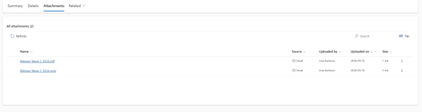
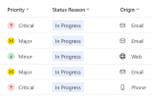
In the Customer Service Workspace app, it’s now easier to take notes; a new view has been created to easily view and upload multiple attachments directly to a case, as well as to get a consolidated overview of all attachments from an email conversation. In addition, views now feature new color-coded icons for priority, status, and case origin.
Customer Insights – Journeys
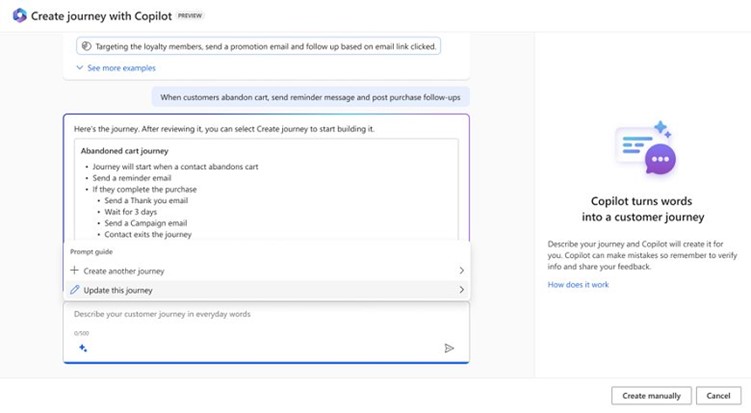
Create journeys with Copilot
Now you can get help setting up your journeys more efficiently by describing the customer journey you want to create in natural language. Copilot will help you get started by suggesting ways to set it up. You’ll see a preview of the journey and can then add your own content to customize it.
Collect additional customer data without using custom attributes in forms
Use custom fields to collect additional or temporary information, such as dietary preferences when registering for an event or answers to a contest question. You can drag and drop the fields from the toolbox onto the form and edit the label and properties. The responses are stored only as part of the form response and therefore do not affect your other data on the contact or lead.
Maximize event capacity with waitlists
The previous Outbound Marketing module included a waitlist feature, but this was missing from the newer Real-Time Journeys app, which replaced the older module. Now, waitlists are coming to Real-Time Journeys! You can enable waitlists for your event and easily review waitlist registrations and create segments for further communication with interested participants. Send relevant communications automatically with pre-built workflows and include a cancellation button in the emails so participants can release their spot.
Simplify form filling with pre-filled forms
Your customers can now sign up for upcoming events with minimal effort by confirming or updating pre-filled data. When a form is opened, you’ll be able to configure it to pre-populate fields based on data already in Dynamics. For the form to be filled out automatically, the customer must open it from the link in the invitation email created by Customer Insights.
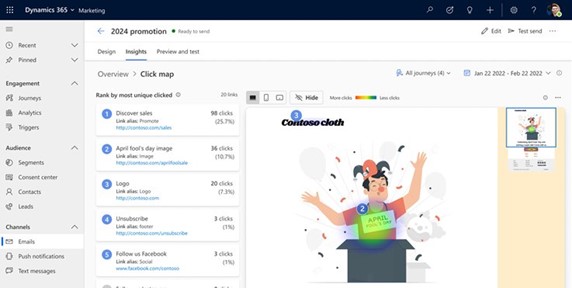
Gain insights into email engagement with heatmap analysis
Get a quick and visual way to understand engagement based on your email design. See which areas and links in the email generate the most and least engagement by reviewing click-through rate (CTR), total clicks, and unique clicks. You’ll also be able to filter the heatmap by email version, flow version, and date.
Would you like to learn more about Microsoft’s latest release and how you can benefit from it? Contact us!
Contact us today
Email us at info@releye.se