

Releye's Picks from the Salesforce Spring '23 Release
Spring hasn’t quite arrived yet, but the Salesforce Spring ’23 release has. This new spring release introduces new features and updates to the Salesforce CRM platform. The Salesforce Spring ’23 release includes new updates with features that simplify the platform, with the aim of helping businesses improve their customer experience and collaboration by streamlining their processes. We at Releye have summarized our favorites:
Favorites from Salesforce Spring ‘23 rrelease:
1. Improved mobile experience: The Salesforce mobile app has been updated with new features and improvements, such as enhanced navigation, faster loading times, and increased productivity features. New mobile capabilities, including an updated mobile app with improved offline access.
2. New Sales Cloud Features: Salesforce has launched a range of new features that simplify the management of quotes, orders, and contracts within Sales Cloud. By enhancing lead management capabilities, companies can now manage the entire sales process from start to finish in one place.
-
- One of the new features is the ability to create quotes and orders directly from a lead profile in Sales Cloud. Using Sales Cloud’s new visual tools, the sales team can easily create and manage quotes and orders, and link them directly to the respective lead or account. This gives the sales team an overview of the entire sales process in one place, which streamlines work and reduces the risk of misunderstandings and errors.
- Another new feature is the ability to manage contracts directly from Sales Cloud. Using Sales Cloud’s new tools, the sales team can manage the entire contract process from start to finish, including creating, editing, and approving contracts. The sales team can also track the status of contracts in real time and get an overview of which contracts are pending, which have been approved, and which require action.
3. Enhanced Customer Journey Builder: Salesforce is introducing enhancements to its Customer Journey Builder, which will help companies create, manage, and measure the impact of customer journeys.
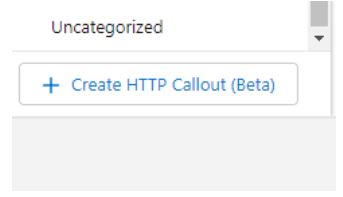
4. Increased flexibility in Flow Builder: Salesforce is enhancing its Flow Builder by enabling the retrieval of external data via HTTP calls. Previously, Flow Builder only handled internal data; now, you can use Flow Builder to retrieve data from external systems and build logic with that data directly in Salesforce.
5. DDynamicpages för Leads: Now also supported by Leadsobject Dynpages. This means you can configure Leads–pages with greater freedom, and reduce your reliance on Record Types & Page Layouts. Dynamic pages are not entirely new, but have been implemented in other objects in previous releases, such as Account and Contact.
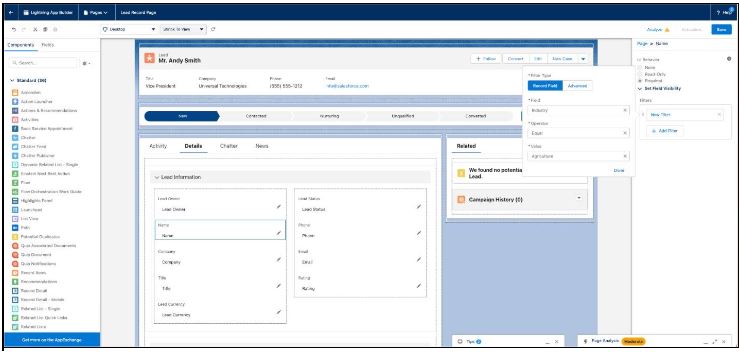
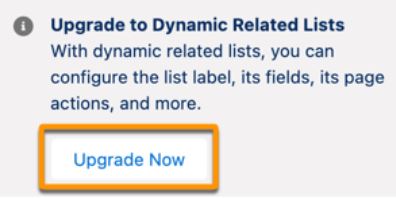
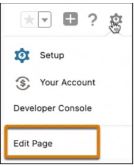
6. Dynamic Related Lists: Use this component to add a single related list to your Lightning page and customize it directly in Lightning App Builder instead of in the page layout–editor. In the component’s properties, select the list’s fields and sort order, apply filters, add actions, and give the list a descriptive name.
You can also convert an existing related list into a dynamic related list. In Lightning App Builder, select an existing “Related List – Simple” component on the page. Then click “Upgrade Now” in the list properties window.
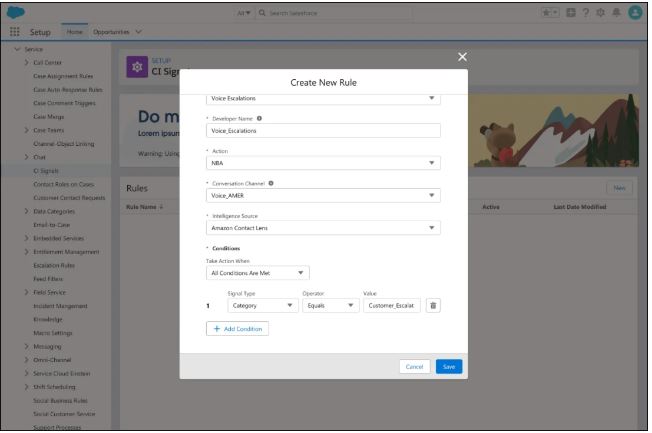
7. Improved Einstein Language: Salesforce introduces new features in Einstein Language, enabling companies to better understand customerneeds and generate personalizedmmendations. Einstein Language is used to create intelligent chatbots, intelligent search and classification features, automated customer service systems, and much more. It can help businesses streamline their processes and improve the customer experience by providing faster and more accurate responses to customer inquiries, assisting with translation, and increasing the efficiency of business communications.
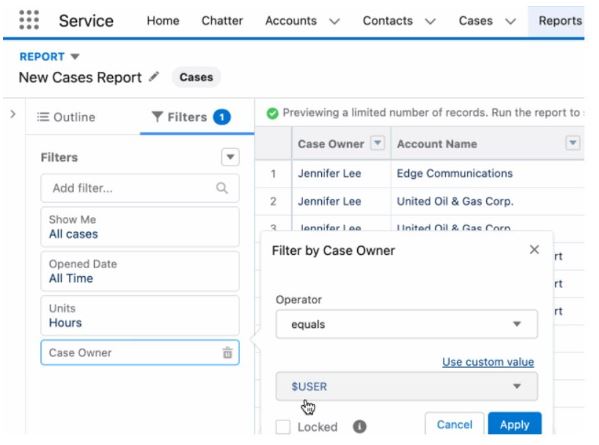
8. Set up a dynamic report filter: Pthe user field to display personalized results for each user. When filtering by user field, select “Use relative value”, which allows you to filter reports and list views on fields other than the object owner field. The allows users to filter in a report based on a selectiont value in another report.
Dynamic report filters can be used flexibly if, for example,two salespeople share responsibility for a sales project. Standard functionality in Salesforce only allows one person to sales project owner, but it is possible to create your own(Lookup for the user) named “Quotation Manager in the Sales Project”.
With dynamic report filters, you can filter by the “Quotation Manager in the sales project” by using a relative value ($User). The user who is added as “Quotation Manager in the sales project” will now be able to view a report showing sales projects where they are listed as “Quotation Manager in the sales project”.
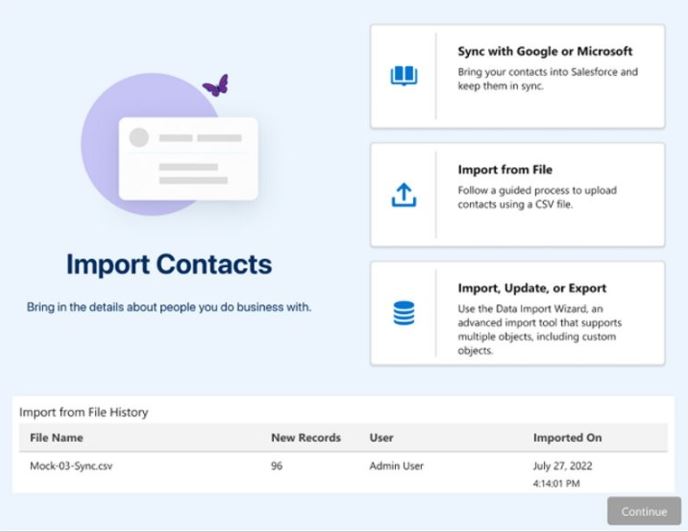
9. Import contacts and leads with a guided experience: By enabling “Basic Data Import” in Salesforce Setup, a new feature is enabled for users of Sales Cloud, providing a step-by-step guide for importing leads or contacts. The new wizard provides a simple interface that guides them through the steps to import a CSV file. Users need import permissions for contacts or leads to use this feature. “Basic Data Import” is designed to be more user-friendly than previous import tools and has a higher limit on the number of records that can be imported at once. It also supports multiple languages, currencies, and time zones, and does not require any pre-configuration of the data to be imported, which previous tools required. Despite these differences, it is worth noting that Basic Data Import does not replace Salesforce other import tools, such as “Salesforce Data Loader”, which still offers more advanced import options.
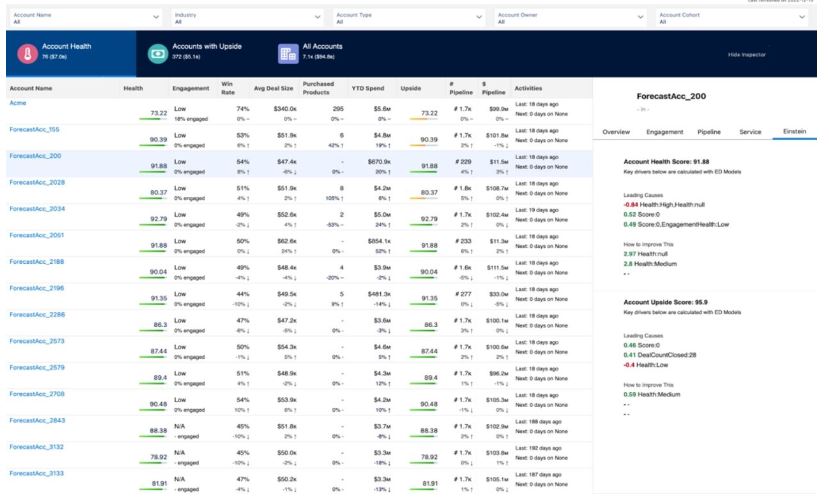
10. Account Discovery or “Account Discovery”: is a dashboard built on top of CRM Analytics and can be accessed directly from the account list view. Using AI & Einstein , the feature all accountn using a “Health Score.” An account with a low “Health Score” may require more attention.
11. Förbättra din webbplats SEO med strukturerade data: Nu kan du använda <script>-taggen för att lägga till strukturerade data på enskilda sidor på din hemsida. Strukturerade data innehåller viktiga siduppgifter i ett standardiserat format som hjälper sökmotorerna att förstå innehållet och betydelsen av en webbsida. Med bättre förståelse för innehållet på din webbplats visar sökmotorerna dina sidor på ett mer engagerande sätt, vilket kan leda till ökad trafik till din webbplats.
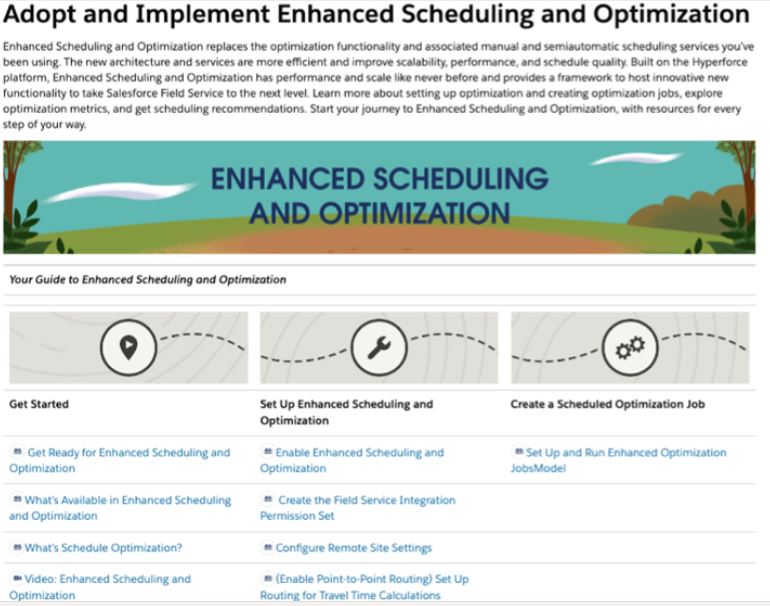
12. Field Service: Get help with improved scheduling and optimization from Salesforce –experts. A new learning path guides you through configuring optimization, creating optimization jobs, exploring optimization metrics, getting scheduling recommendations, monitoring your optimization, and much more.
Where: This feature is available to Enterprise, Unlimited, and Developer plans that have the “Field Service managed package” installed.
How: Go to the learning map in Salesforce Help to find relevant topics, videos, and other resources. Click through each step in the learning map to learn more.
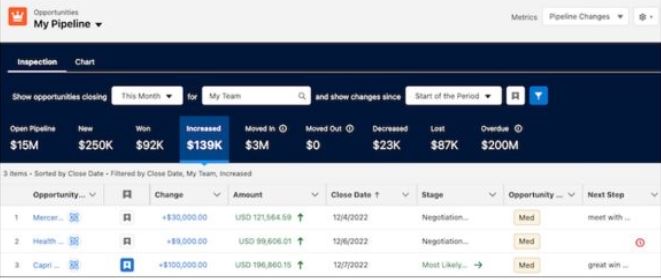
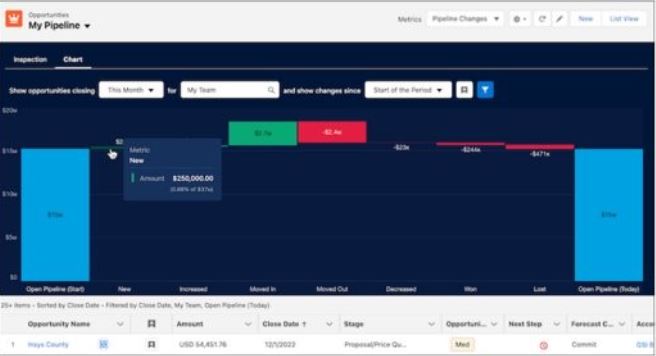
13. Sales Cloud – Pipeline Review:
- “Inspection of Pipeline” is a new feature in Sales Cloud that provides sales managers with a visual view of their sales pipeline and helps them identify potential issues and areas for improvement.
- Get a graphical overview of dthe sales pipeline and identify new new opportunities or risks.
- Identify trends and patterns in the pipeline, such as deals that consistently get stuck at a certain stage or deals that consistently move quickly through the pipeline.
- Examine individual business opportunities to gain a more detailed understanding of their progress and identify potential bottlenecks or issues.
- Track and manage your team’s sales activities and ensure that everyone follows the same sales process and best practices.
- Greater transparency across the entire team: Everyone can see new deals, values and delayed businessopportunities.
- To use these new features, you need an add-on license in addition to your Sales Cloud license.
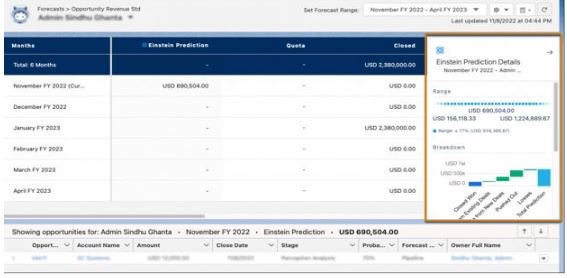
14. Sales Cloud – Collaborative Forecasting: ““Collaborative Forecasting” is a feature in Salesforce Sales Cloud that enables the sales team to collaborate to create and update forecasts more efficiently.
By collaborating and sharing information, the sales team can gain a more accurate and realistic picture of their pipeline and what needs to be done to achieve their sales goals. This feature allows sales managers to view sales forecasts in real time and adjust them based on the latest information from the team.
An additional license is required to use collaborative forecasting in Sales Cloud. This feature is available as an add-on solution called “Collaborative Forecasts.” To use this feature, you need one Sales Cloud license and one Collaborative Forecasts license per user.
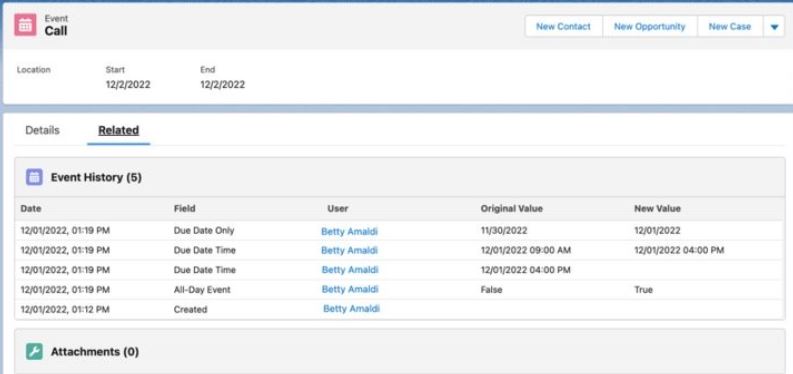
15. Sales Cloud – Einstein Activity Capture : Tracking the history of activity fields. The new feature in "Einstein Activity Capture" makes it possible to track changes to events and tasks. You cantrack up to 6 fields (standard or custom) from records and events and see what changes have been made to these fields.
16. Marketing Cloud – Upload images in their original size: You can now upload images in their original size directly to Salesforce Marketing Cloud. Instead of having to resize them manually, you can now save time and effort by using the new local image upload feature.
To upload an image in its original size, simply enable the local image upload feature and select the image you want to use. Then, choose the desired image settings to customize the image to suit your marketing needs.
By using this new feature, you can easily manage and edit images for your marketing in an efficient way. This results in higher-quality marketing materials and a more professional look
These are just a few examples of the many new features included in the Salesforce Spring ’23 release. With these enhancements, Salesforce continues to provide businesses with new tools that improve their customer experience, collaboration, and operations.
In summary, the Salesforce Spring ’23 release is a major update that introduces new and exciting features designed to help businesses improve their customer experiences, collaboration, and processes. Through these enhancements, Salesforce continues to be the leading customer relationship management platform, providing businesses with the tools they need to succeed. We’re here to support you on this journey.
Learn more about Salesforce here.
Learn more about the Salesforce Spring '23 release here.
Contact us today
Email us at info@releye.se